How to configure Paymenter: complete setup guide and FAQ for agencies
This article contains affiliate links, marked “affiliate”. If you sign up through them, codigoagente may earn a commission at no extra cost to you.
A practical Paymenter guide for after installation: what to configure first, how to build the catalogue and take payments, what it does and doesn't do for a small agency, and what its MIT licence allows if you want to build a business on it. If you haven't installed it yet, start with the Coolify deployment guide.
Everything below was checked against the Paymenter v1.5.9 source code and a real production install. Menu and option names are given exactly as the admin panel shows them.
The guide is split into seven parts:
- The first 30 minutes: general settings, security, email, billing calendar, invoices and tax.
- The catalogue: products, plans, prices, configurable options and coupons.
- Getting paid: gateways, manual payments and e-invoicing.
- Provisioning and access: server panels and products without a server.
- Customers, support and team: client area, tickets, roles and extensions.
- Small-agency FAQ: passwords, sign-in, API, WHMCS, cost and design.
- Licence and business model: what MIT allows and how to make money with Paymenter.
Part 1: the first 30 minutes
Paymenter ships with defaults meant for testing, not for billing. These are the settings worth reviewing before you add your first customer, all under Admin → Settings.
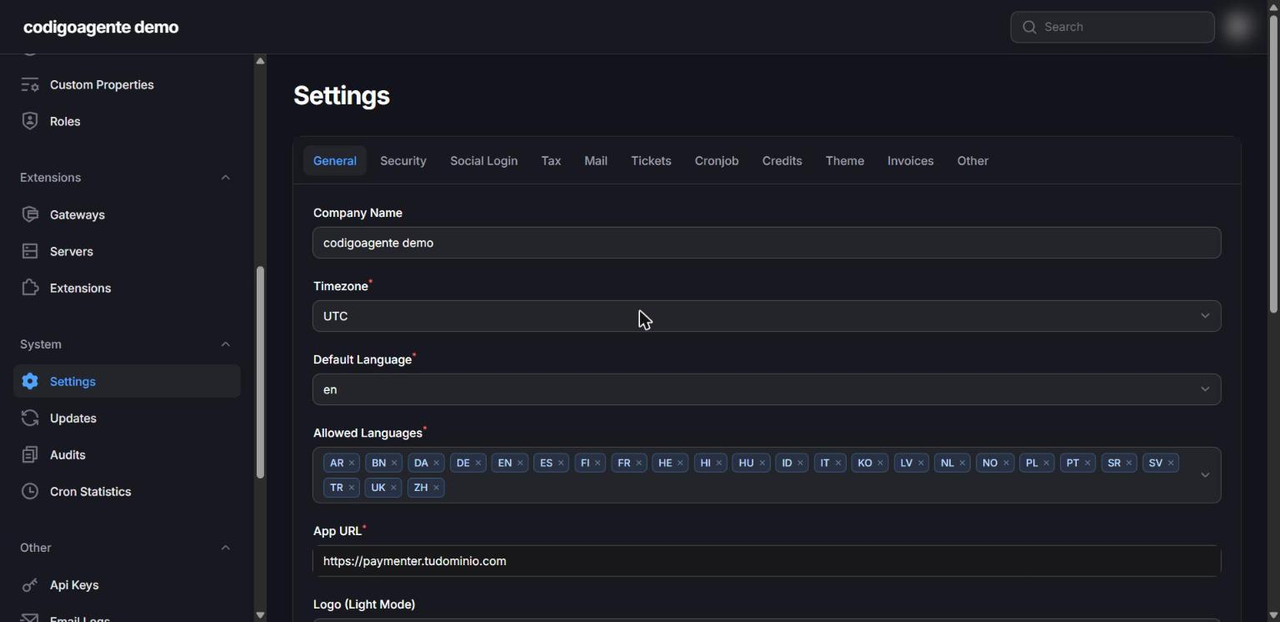
General
- Company Name, Logo (Light Mode), Logo (Dark Mode) and Favicon: your brand in the client area, invoices and emails.
- Timezone: defaults to UTC. Change it to yours (for example
America/Guayaquil); the daily cron that generates invoices and suspends services uses this zone. - Default Language and Allowed Languages: Paymenter ships 24 languages. You can keep only the ones you serve.
- System Email Address: required to save settings. It receives internal alerts such as cron failures.
- Terms of Service: link to your terms. If set, customers accept them at checkout.
- Default Currency:
USDby default. Other currencies are created under Configuration → Currencies. - Disable User Registration: turn it on if you only onboard customers by hand (typical for agencies).
Security
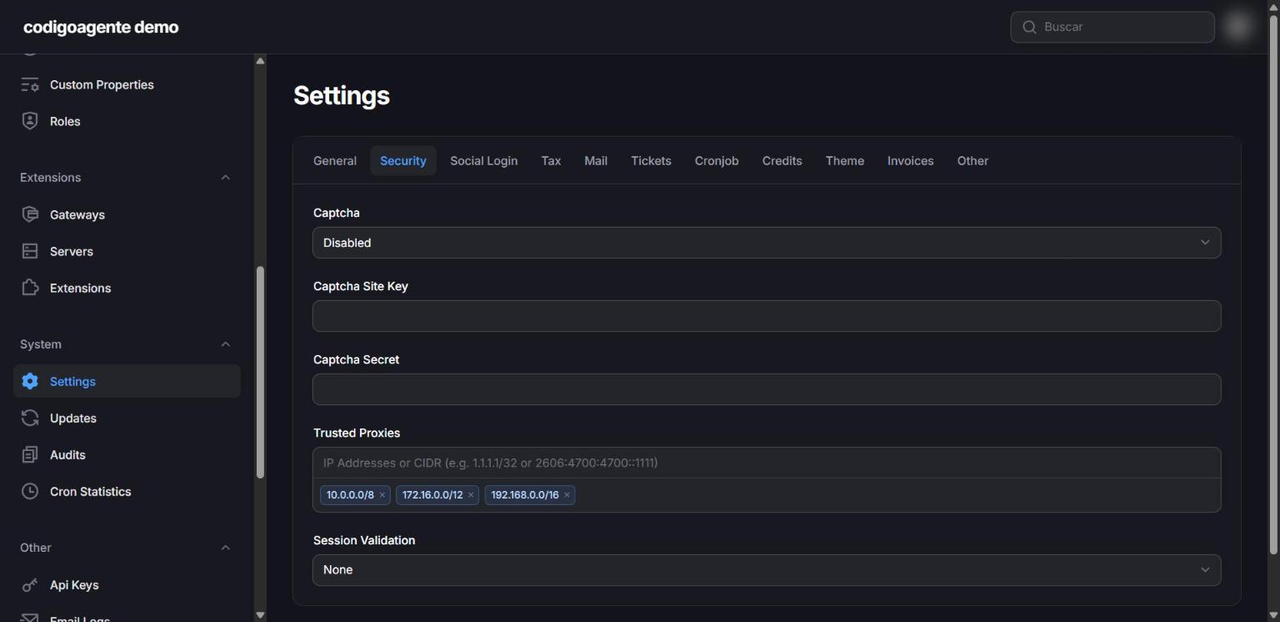
- Captcha: off by default. Supports Google reCAPTCHA v2 and v3, Cloudflare Turnstile and hCaptcha; turn it on if registration stays open.
- Trusted Proxies: essential behind Traefik, Nginx or Cloudflare. Without it Laravel generates
http://links and uploads fail. On Coolify the private Docker ranges are enough (10.0.0.0/8,172.16.0.0/12,192.168.0.0/16). - Session Validation: locks the session to the IP address or browser (User Agent), separately for admins and clients, to make session theft harder.
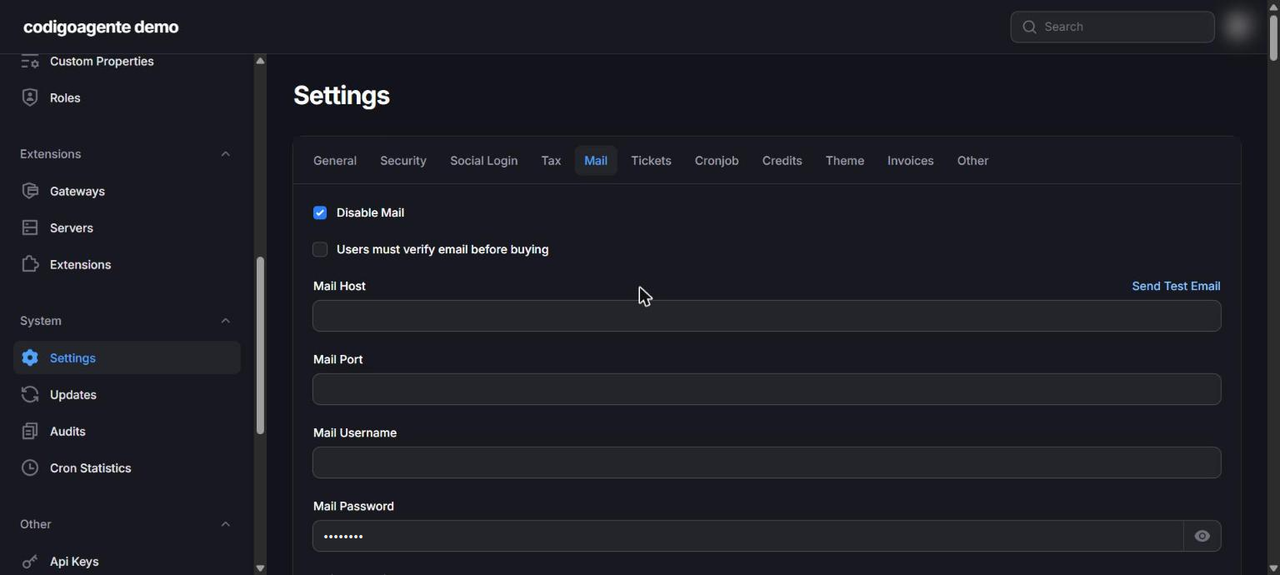
One detail that surprises almost everyone: email ships disabled (Disable Mail is on out of the box). Until you change it, Paymenter sends no invoices, reminders or password reset links.
Fill in Mail Host, Mail Port (587 with TLS is the usual), username, password, Mail From Address and Mail From Name, and turn off Disable Mail. Use a transactional provider (Amazon SES, Postmark, Brevo, Resend) and publish SPF, DKIM and DMARC on your domain. Users must verify email before buying stops orders from fake addresses.
Header, Footer and Mail CSS customise the template of every email, and Other → Notification Templates lets you edit the text of each notification.
Cronjob: the billing calendar
This is where you decide what happens to a customer who doesn't pay. The defaults are aggressive for an agency:
| Setting | Default | What it does |
|---|---|---|
| Cron Job Time | 00:00 | Time the daily job runs |
| Send invoice if due date is x days away | 7 | Generates the invoice 7 days before the due date |
| Send invoice reminder if due date is x days away | 3 | Sends a reminder 3 days before |
| Cancel order if pending for x days | 7 | Cancels unpaid orders |
| Suspend server if invoice is x days overdue | 2 | Suspends the service after 2 days unpaid |
| Delete server if invoice is x days overdue | 14 | **Deletes** the service after 14 days and cancels the invoice |
| Close tickets if no response for x days | 7 | Closes inactive tickets |
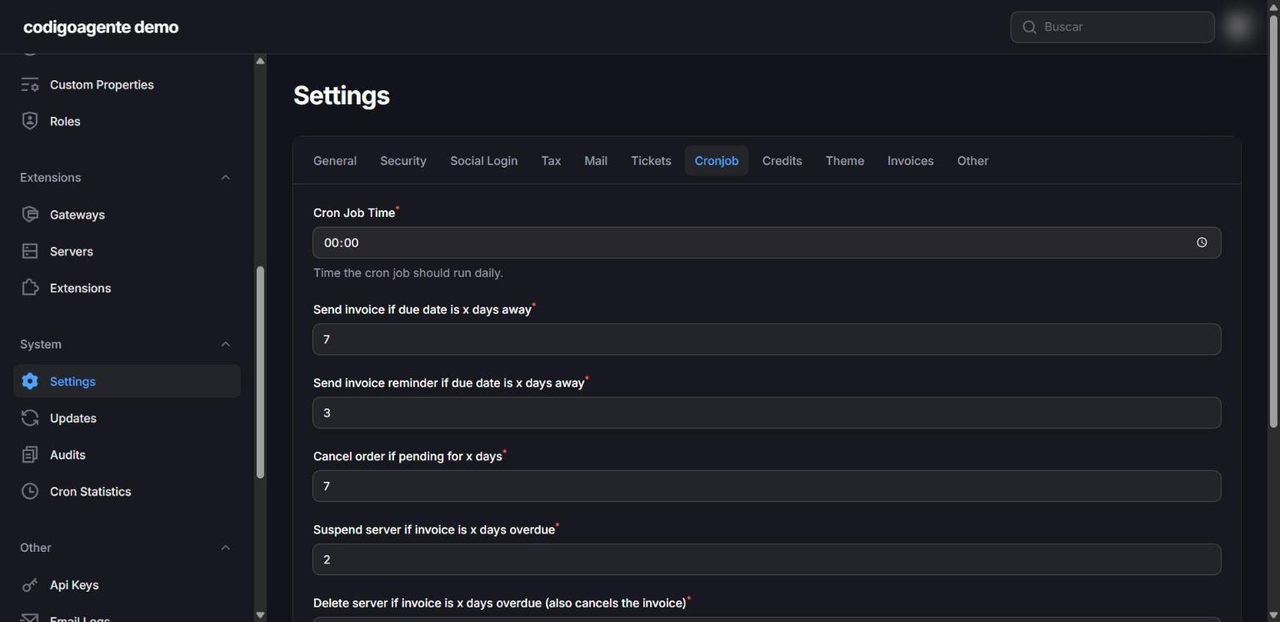
If you sell automated hosting, suspending and deleting makes sense. If you bill maintenance or development, raise those numbers a lot: termination deletes nothing in external systems when the product has no server attached, but it does cancel the service and its invoice in Paymenter.
Invoices
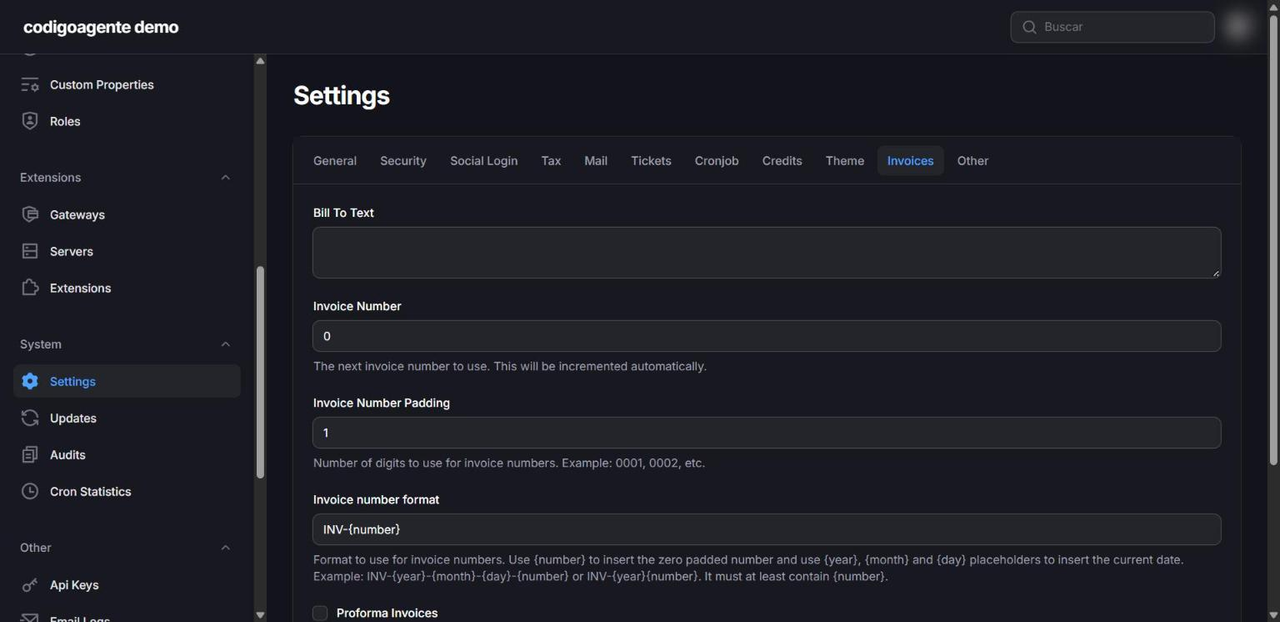
- Invoice number format:
INV-{number}by default. It also accepts{year},{month}and{day}, so you can use something like{year}-{number}. Set the starting number and zero padding to continue your current numbering. - Invoice Snapshot: stores a copy of the invoice data when it is issued, so later changes to the customer's address or the product name don't alter old invoices.
- Proforma Invoices: invoices are marked as proforma and only get an official number once paid. Useful if your accounting requires gap-free sequential numbering.
- Immutable Invoices: issued invoices cannot be edited; changes go through credit or debit notes (
CN-{number}). - Bill To Text: your legal and tax details on the invoice.
Tax and Credits
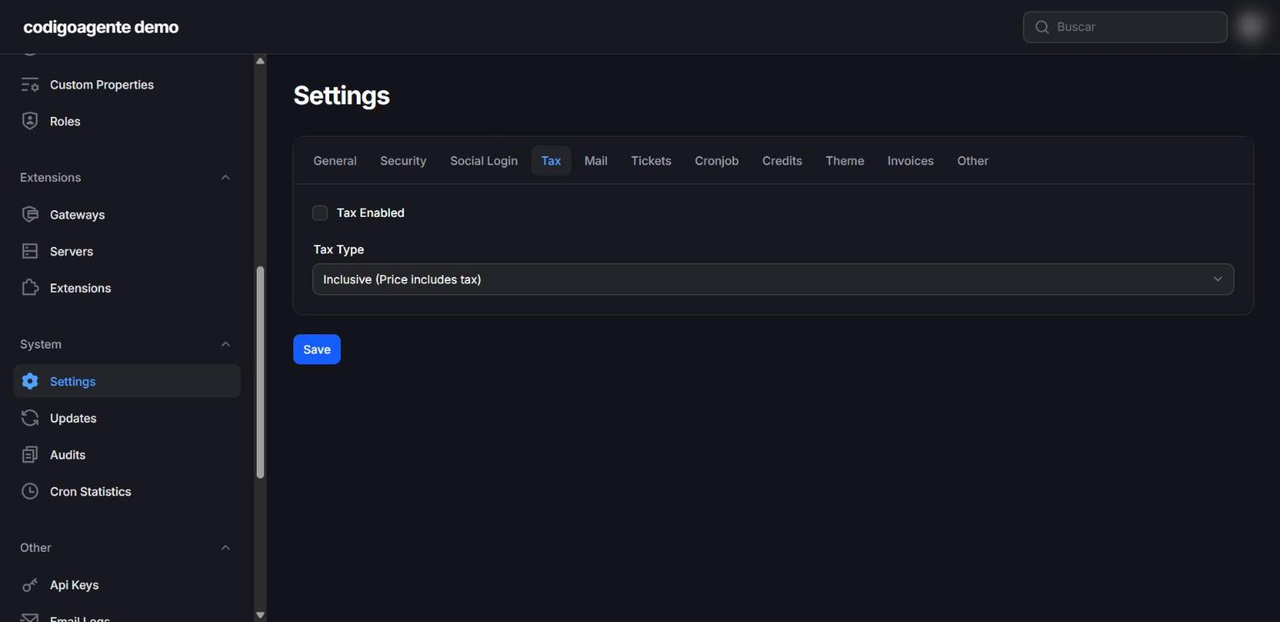
- Tax: turn it on and choose whether your prices include tax (
Inclusive) or have it added (Exclusive). Per-country rates live under Configuration → Tax Rates. - Credits: a balance customers can top up that is applied to their invoices automatically (Automatically use credits). Set the minimum and maximum deposit and the maximum balance.
Part 2: the catalogue
Categories, products and plans
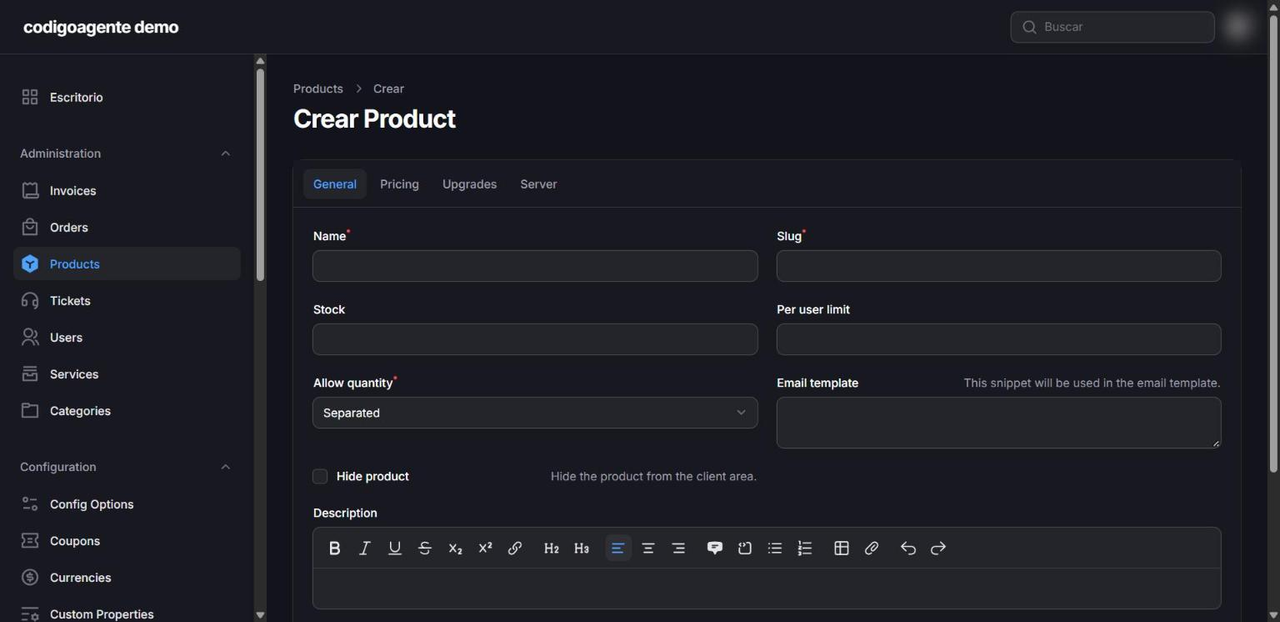
The structure is Category → Product → Plan → Price:
- Product: name, description, image, optional stock, per-customer limit, whether it can be bought in quantity and whether it is hidden.
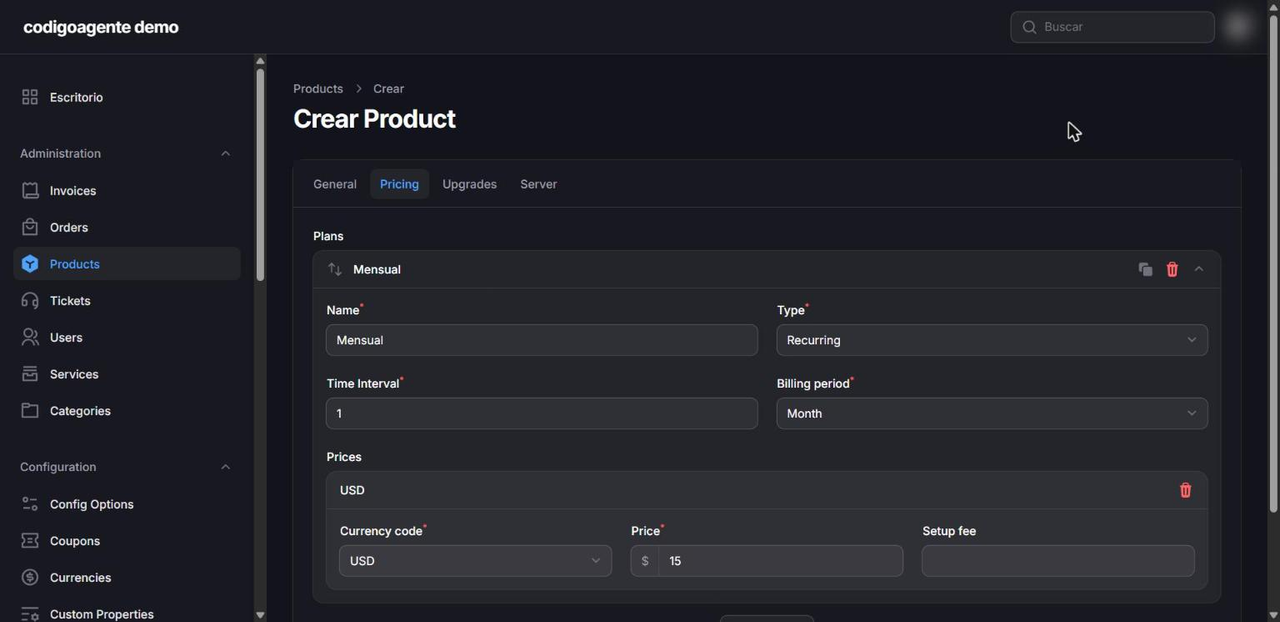
- Plan (Pricing tab): free, one-time or recurring every N days, weeks, months or years. One product can have monthly, quarterly and yearly plans.
- Price: amount per currency and an optional Setup Fee.
- Upgrades: which products are offered to move up or down a tier (Basic → Pro).
- Email Template: extra text in the product's welcome email, for example access instructions.
Config Options: customers customise
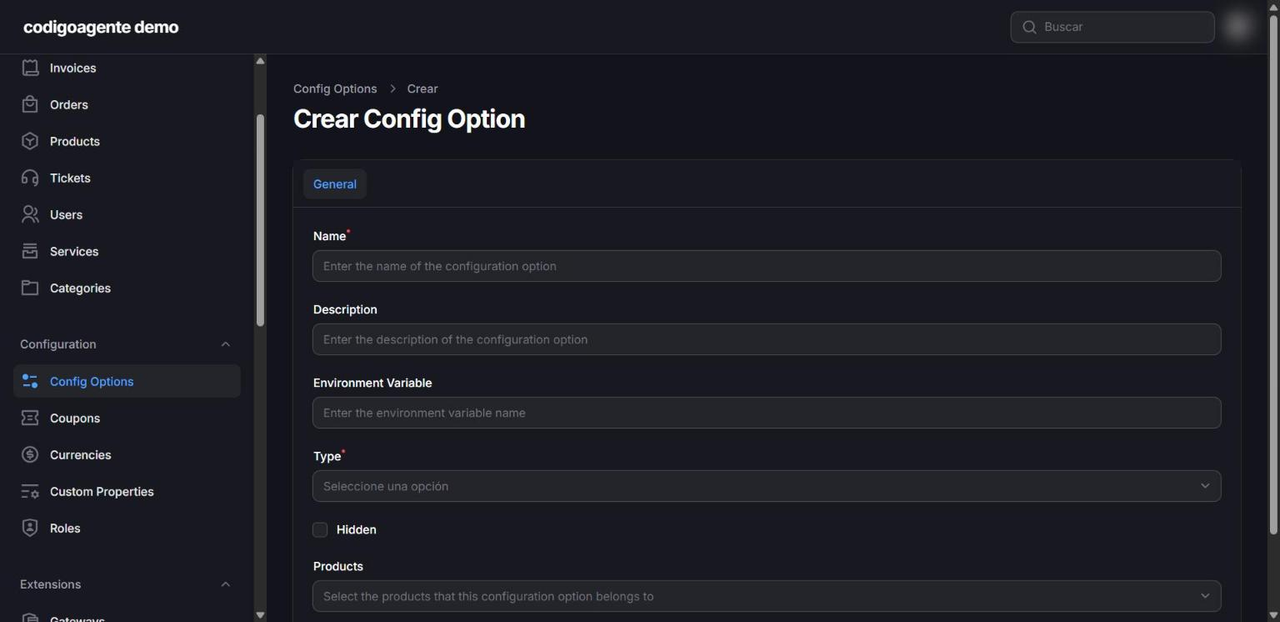
Configurable options add fields to checkout: dropdowns, radio buttons, checkboxes, text, number, a Slider or a Hidden field that passes fixed values to provisioning. Choice options can carry their own recurring or one-time price. Agency examples: "Support hours per month", "Extra domain", "Site languages".
Coupons
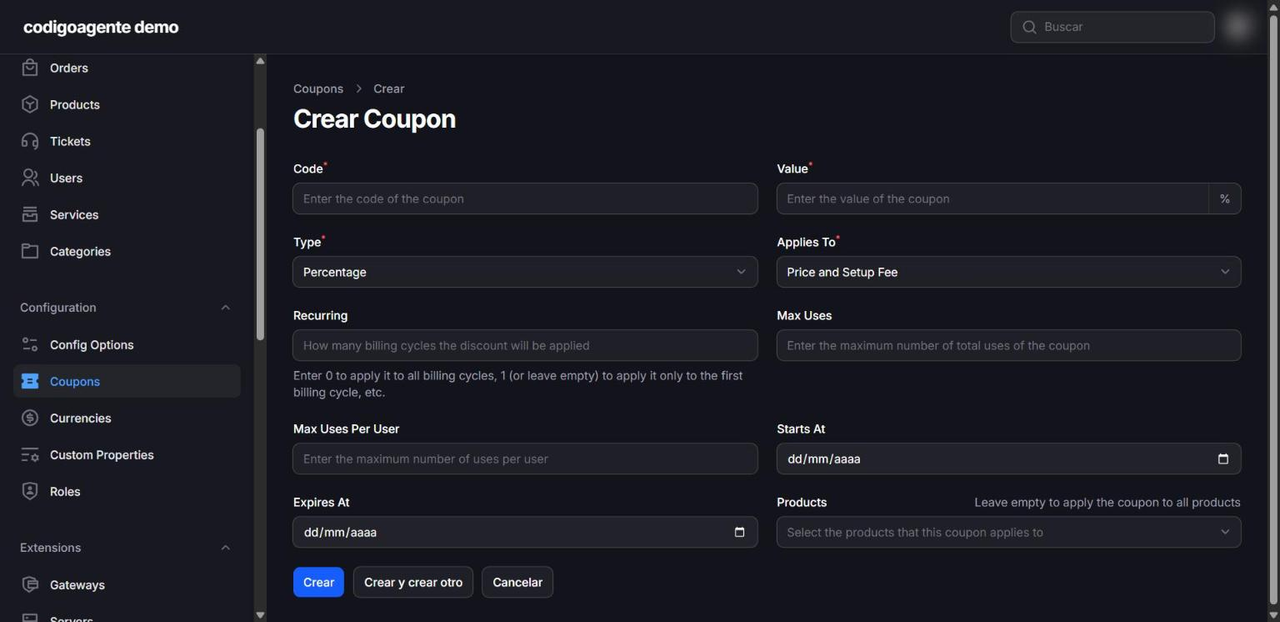
Fixed or percentage discount, limited to specific products, with total and per-customer usage caps and start and end dates. Applies To chooses whether it discounts the price and the setup fee, the price only or the setup fee only. Recurring sets how many cycles it applies to; 0 means every renewal.
Part 3: getting paid
Included gateways
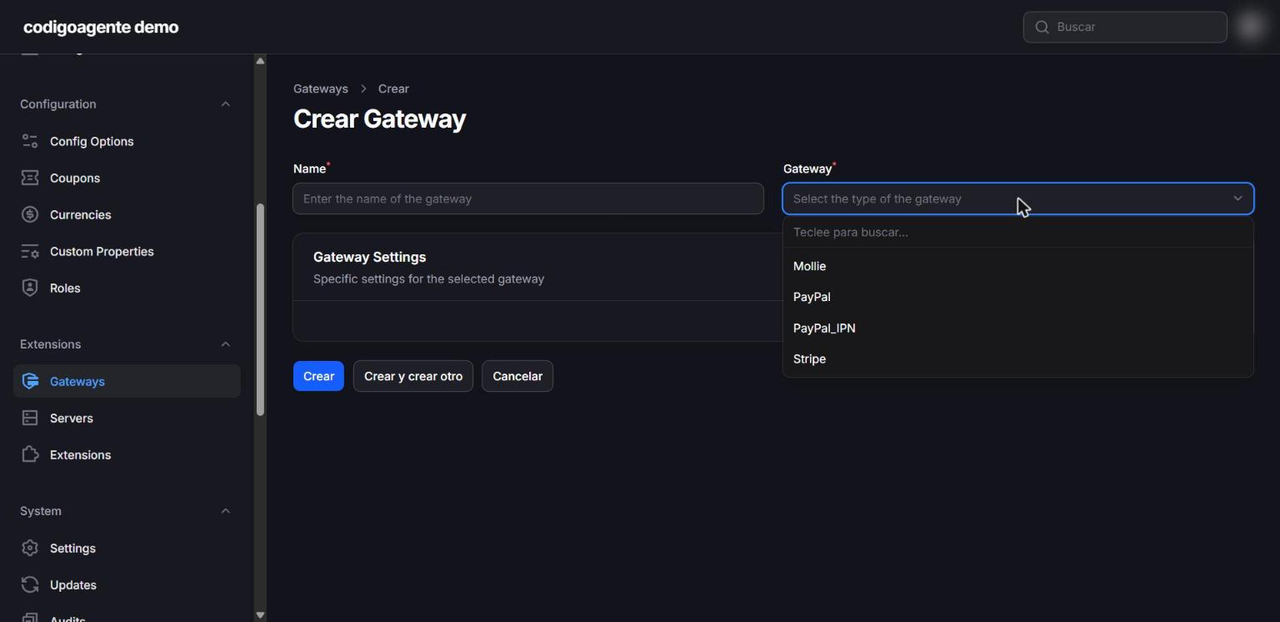
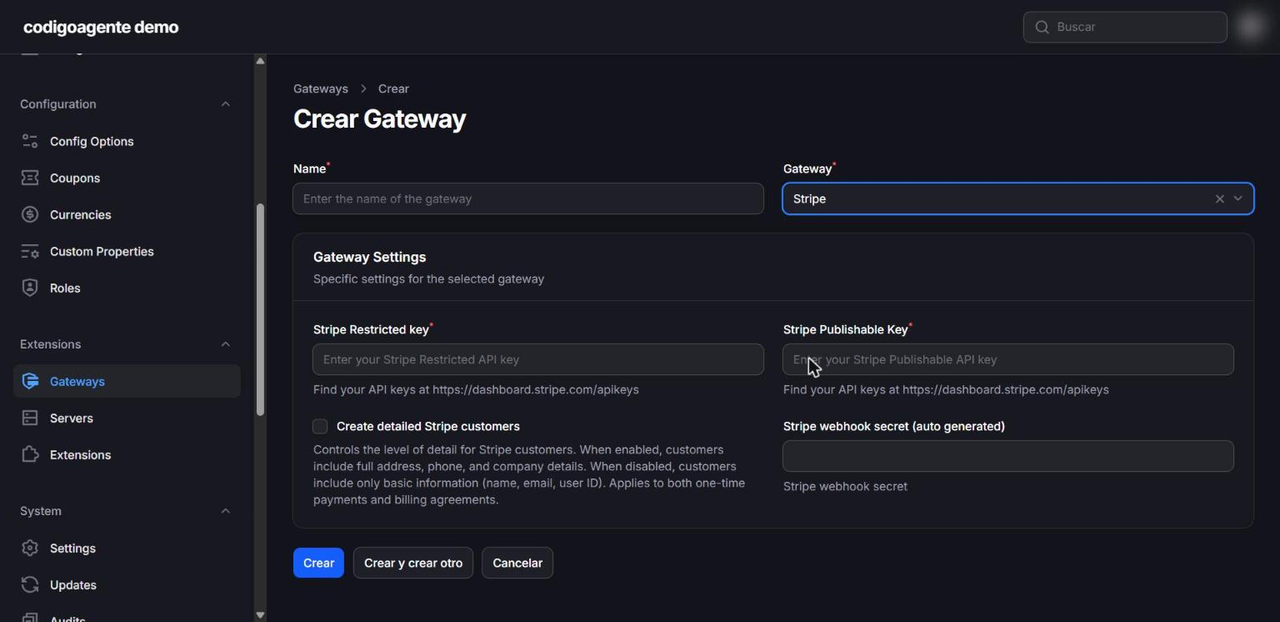
Paymenter ships with Stripe, PayPal (subscriptions and one-off payments, plus the IPN variant) and Mollie. Add them under Payments → Gateways. Stripe asks for a Restricted key and the Publishable key; Paymenter generates the webhook secret itself. With Stripe and PayPal customers can save their payment method (Billing Agreements) so renewals are charged automatically.
In Latin America, check first which gateways you can sign up for as a merchant in your country: Stripe, for example, is not available to businesses in every country in the region, while PayPal usually is. Local gateways need a marketplace extension or your own: php artisan app:extension:create MyGateway gateway generates the skeleton.
Bank transfers and manual payments
If customers pay by bank transfer or cash, you don't need a gateway: open the invoice in the panel and record the payment as a transaction with its reference. The invoice is marked paid and the service activates or renews exactly as with an automatic charge.
Does it issue tax-compliant e-invoices?
No. Paymenter generates commercial PDF invoices and tracks payments, but it does not integrate with government e-invoicing systems such as Ecuador's SRI, Mexico's SAT or Colombia's DIAN. If your country requires them, issue the electronic invoice with your authorised system and use Paymenter for subscriptions and collections, or build an extension that submits it automatically on payment.
Part 4: provisioning and access
Server extensions
If you sell infrastructure, Paymenter creates, suspends and deletes the service on the matching panel when the customer pays or stops paying. It includes cPanel, Plesk, DirectAdmin, Enhance, Pterodactyl (game servers), Convoy, VirtFusion and Virtualizor (VPS); Proxmox is available as a paid extension. Configure them under Products → Servers and assign them in each product's Server tab.
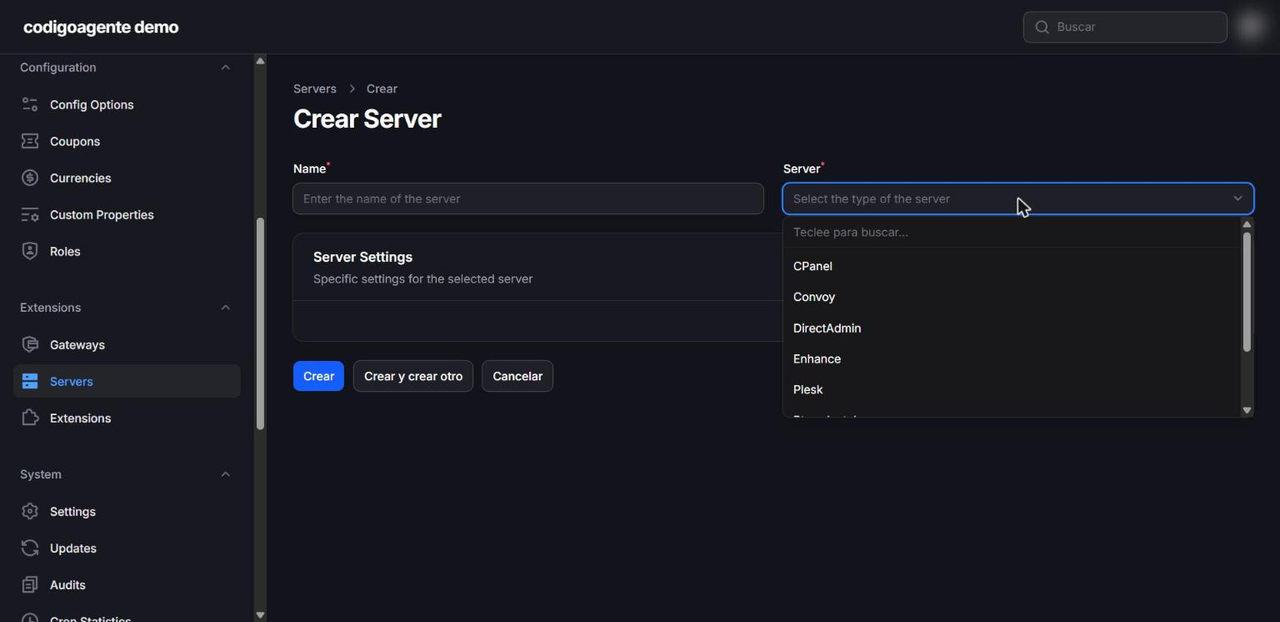
Several of them add a direct access button to the client area: the cPanel one, for instance, generates a single-use session so the customer gets into cPanel without typing a password.
What if I don't sell hosting?
Leave the product without a server. Paymenter still runs the billing cycle (activation, renewal, suspension) and you deliver the service. That is the typical agency case: monthly website maintenance, hour bundles, licences, SEO, support.
Part 5: customers, support and team
Client area
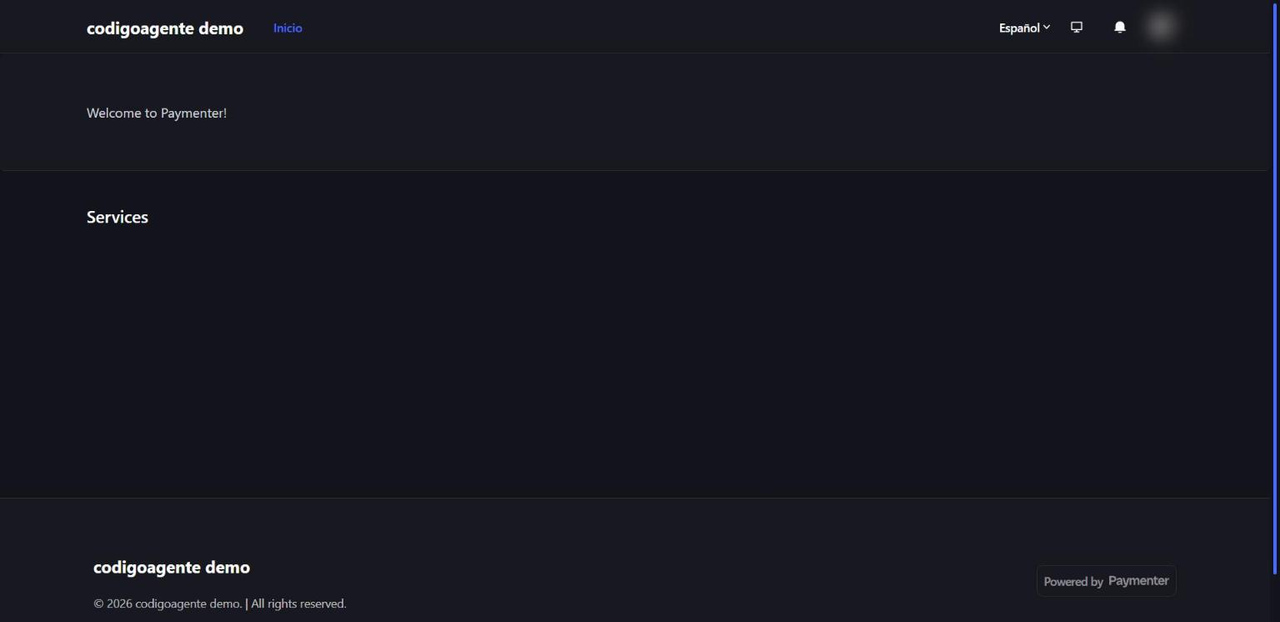
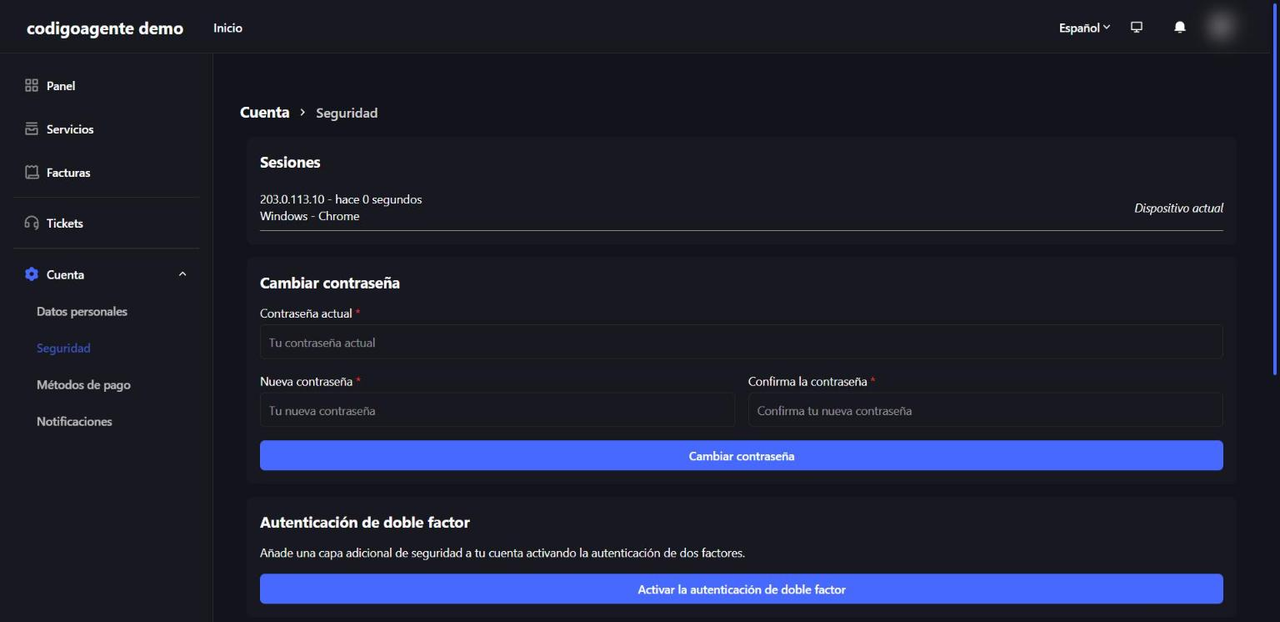
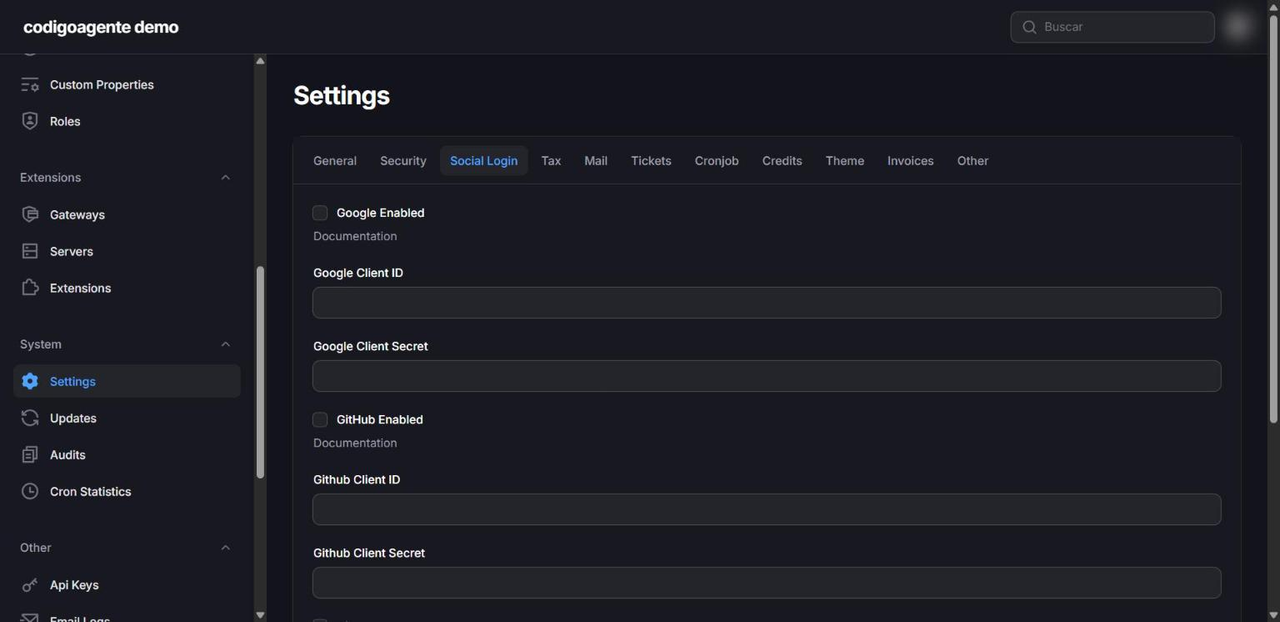
Customers see their services, invoices and balance; they pay, change plans, cancel, open tickets and manage their security (2FA and active sessions). They can sign in with email and password or with Google, GitHub or Discord if you enable them under Settings → Social Login.
Their account has three sections: Security (open sessions, password change and 2FA), Payment methods (the ones saved with Stripe or PayPal) and Notifications.
Tickets
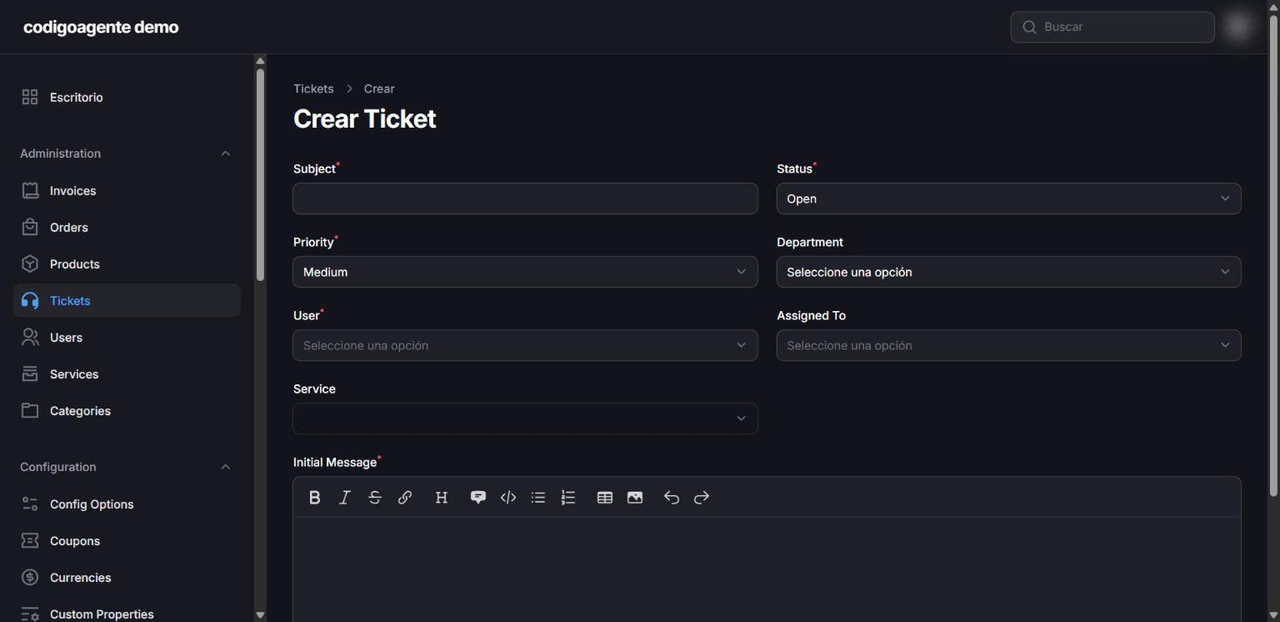
Built-in support with departments (create them under Settings → Tickets; without at least one, customers cannot open tickets), attachments and an option to stop customers closing tickets. With Email Piping (IMAP), email replies are added to the ticket automatically. Each ticket has a status, priority, department, the assigned team member and, optionally, the customer service it concerns.
Team and permissions
Under Configuration → Roles you create profiles with fine-grained permissions per section (view, create, edit, delete invoices, products, tickets, settings…). A "Support" role can handle tickets without seeing billing, and an "Accounting" role can record payments without touching products. Admins can impersonate a customer to see exactly what they see.
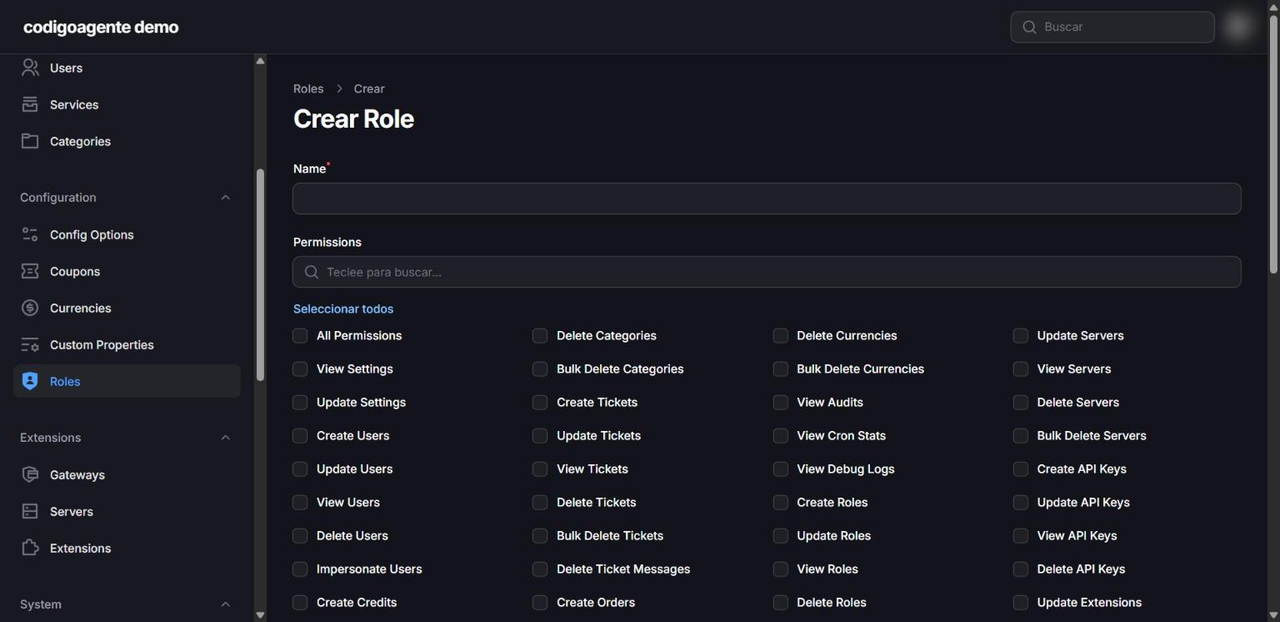
Every change goes into the audit log, and there are logs for sent emails, HTTP requests to extensions and failed jobs.
Extra bundled extensions
- Affiliates: an affiliate programme paying a percentage commission on referred purchases, configurable per affiliate.
- Announcements: news and notices in the client area.
- Discord Notifications: order, payment or ticket alerts in a Discord channel.
Part 6: small-agency FAQ
Can I store my clients' accounts and passwords in Paymenter?
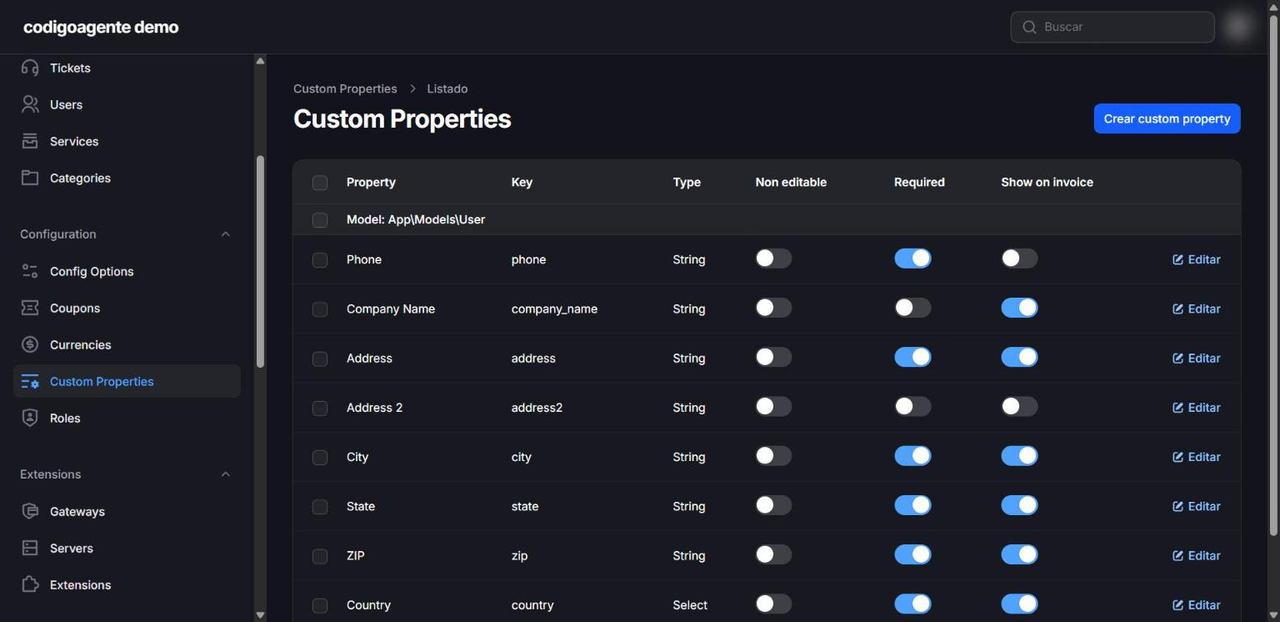
It's not a good idea, and it isn't built for that. Paymenter is not a password manager. Custom Properties let you add fields to the customer record, but they exist only for the user, not per service or per platform. A fresh install comes with phone, company, address, city, state, ZIP and country, and you can add more as short or long text, number, select, checkbox, radio or date. Each one can be required, non-editable by the customer or shown on the invoice (handy for a tax ID). Those values are stored unencrypted and any admin with access to users can see them.
For client credentials (hosting, domains, social media, Google Ads) use a dedicated manager such as Bitwarden or its self-hosted version Vaultwarden, which also deploys on Coolify in one click. What Paymenter does do well is send the initial access details in the product's welcome email and, with server extensions, give direct panel access without sharing passwords.
Which platforms can you sign in with?
In three directions:
- To get into Paymenter: email and password, with optional 2FA, or Google, GitHub and Discord.
- From Paymenter into other panels: cPanel, Plesk, DirectAdmin, Pterodactyl and the other server panels, depending on the extension.
- Paymenter as an identity provider: under Other → OAuth Clients you register your other apps so customers can sign in to them with their Paymenter account.
Does it have an API?
Yes. A REST admin API at /api/v1/admin for users, products, categories, services, orders, invoices, credits and tickets, with keys created under Other → API. Use it to connect your CRM, your website or an n8n workflow.
Can I migrate from WHMCS?
Yes. It ships an importer that migrates currencies, clients, admins, products, orders, services, invoices, payments and tickets. It wipes existing Paymenter data, so run it on a fresh install.
How much does it cost?
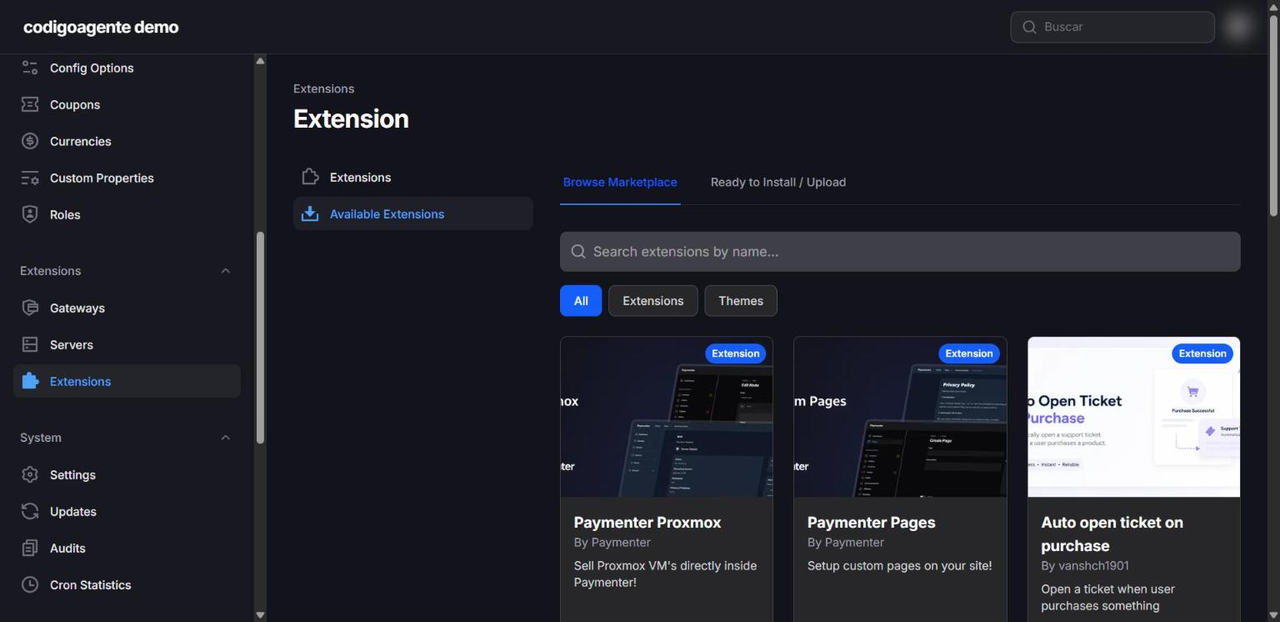
The software is free, with no per-customer licences. You pay for the server (from about €5 a month on a Contaboaffiliate VPS), gateway fees and, if you need them, paid extensions or themes from the official marketplace: at the time of writing the Proxmox extension costs USD 24.99, Pages (custom pages) USD 9.99 and Auto open ticket USD 6.70; themes such as Luna v2 cost USD 19.99 and Citadel USD 25. There are free extensions too, such as Downloadable Products and the Discord integration. You buy and install them from Extensions → Marketplace.
Can I customise the design?
Yes. Logo and favicon under Settings → General, and in the theme settings you change the colours, the home page text (Home Page Text), small catalogue images (Small Images) and Direct Checkout, which sends customers straight to payment without the cart. For deeper changes, create your own theme in themes/. Don't edit the default theme: it is restored on every update.
Part 7: licence and business model
What does the MIT licence allow?
Paymenter's code is licensed under MIT, one of the most permissive licences there is. It lets you:
- Use it commercially, to bill your own services or your clients'.
- Modify it without publishing your changes.
- Distribute and resell it, including as part of your own product or service.
- Offer it as a managed service (install and maintain it for others).
It has only two conditions: keep the copyright notice and licence text in copies of the code, and accept that it comes without warranty.
Three important caveats:
- The brand is not included. MIT covers the code, not Paymenter's name or logo. If you distribute a modified version, don't present it as the official product.
- Third-party extensions and themes from the marketplace have their own licences, which may be commercial.
- The official documentation is licensed under AGPL-3.0, not MIT: if you copy its text or images, AGPL rules apply.
The "Powered by Paymenter" link in the default theme's footer can be removed with your own theme; keeping it is a courtesy to the project, not a licence requirement. This is a technical reading of the licence, not legal advice.
Internal use or a business?
Both are legitimate:
- Internal use: bill your own recurring services (maintenance, client hosting, retainers) without paying for WHMCS.
- Sell services with it: automated hosting, VPS or game servers through the server extensions.
- Managed Paymenter: install, configure and maintain Paymenter for other companies as a monthly service.
- Development: build local gateways, e-invoicing integrations or custom themes, and sell them or publish them on the marketplace.
A small agency can start with the first and, with experience, offer the third and fourth to its clients.
Conclusion
Paymenter covers the whole lifecycle of a recurring-services business: catalogue, payment, renewal, suspension, support and team, with no licence cost and code you can adapt. Its limits are clear: it is not a password manager, it does not issue tax e-invoices and local gateways need an extension. Get email, the timezone and the billing calendar right before you bill your first customer.
// source code
// referenced stack
// implementation