Anatomy: the Claude skill that turns technical ideas into interactive isometric illustrations
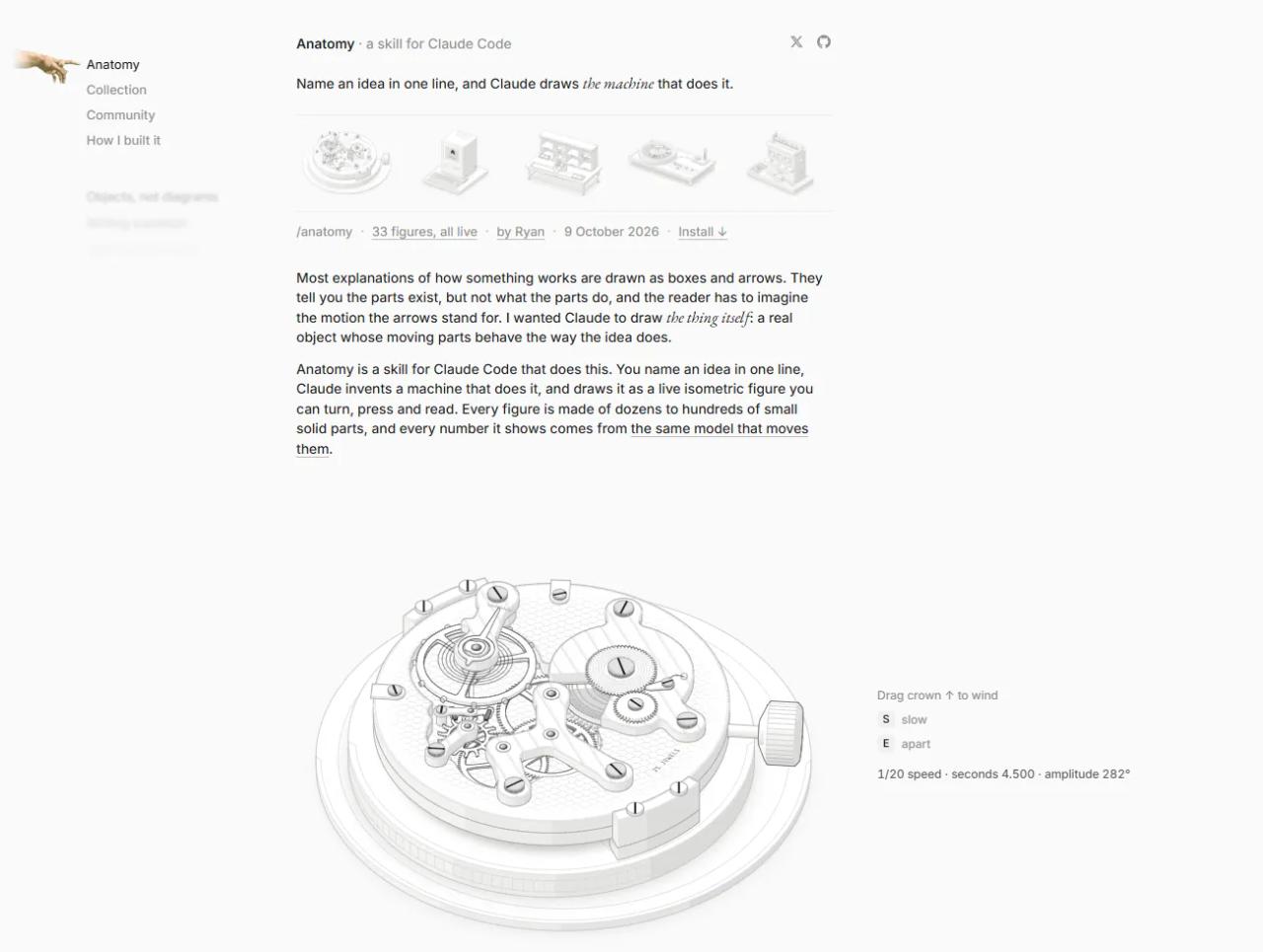
Anatomy is a Claude Code skill that explains a technical idea by drawing it as a real machine: a cache becomes a lock, a message queue becomes a marble run and a TCP handshake becomes a mail ropeway. The output is an interactive isometric illustration in SVG (plus WebGL when it needs fire, water or light) that you can drop into a landing page, product docs or an article. This post covers exactly what it does, what it doesn't, how long it takes and how developers and agencies can use it.
If this is your first skill, start with the Claude Code skills guide. In part 2 of this guide we install it and use it step by step on a real example.
What Anatomy is
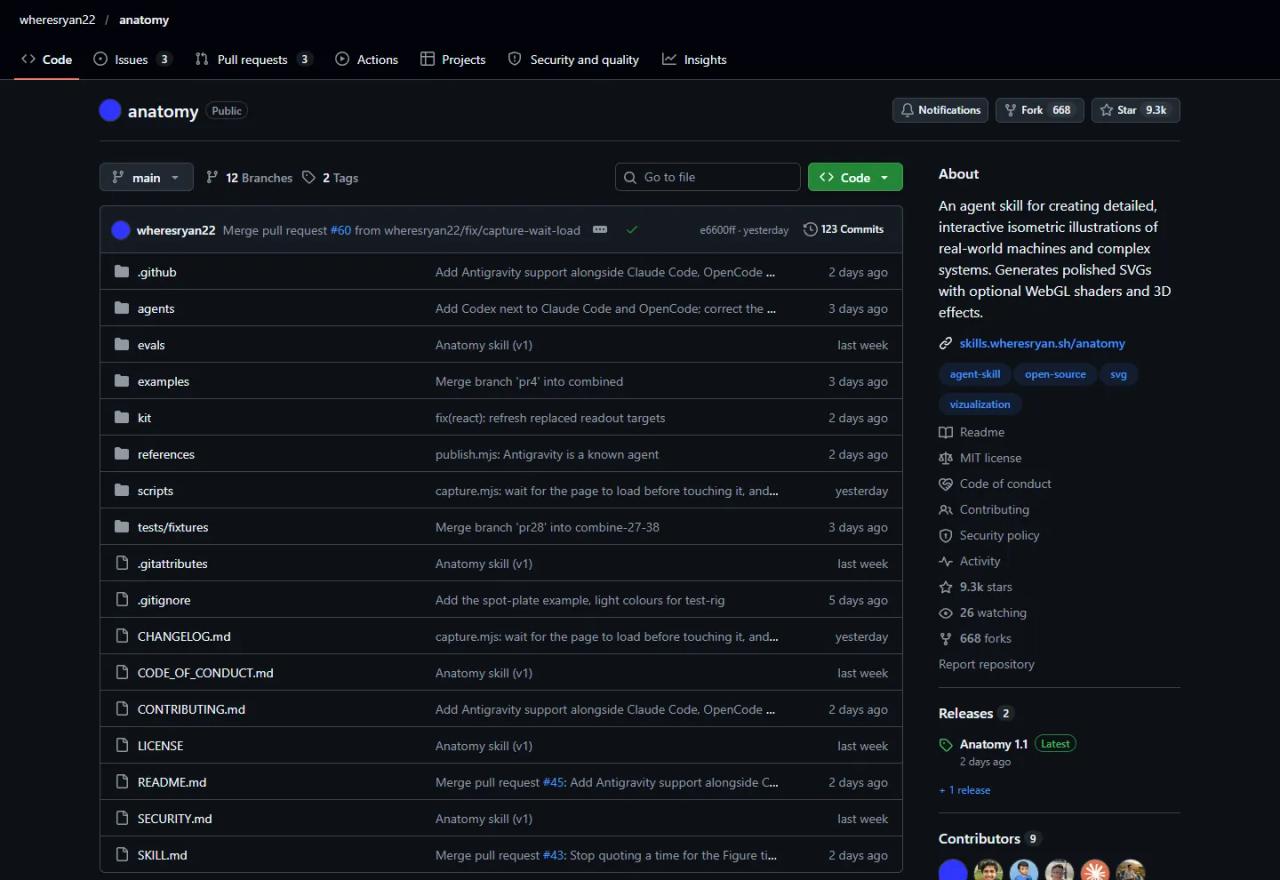
It is a GitHub repository, wheresryan22/anatomy, under the MIT licence. It holds a skill that follows the Agent Skills standard, so it runs in Claude Code, Codex, OpenCode and Antigravity. Facts as of this test (14 October 2026):
- Version: 1.1.0, released 12 October 2026.
- Traction: about 9,300 stars and 668 forks on GitHub, a few days after its launch on 9 October.
- Requirements: Node.js 20.10 or later, and Chrome or Chromium for the checks. Zero dependencies: no
npm install, no API keys. - Contents: the
SKILL.mdwith the workflow, a drawing kit (kit/), reference guides (references/), headless Chrome verification scripts (scripts/) and eight complete examples.
The core idea: the object is the explanation
The rule that drives the whole skill sits at the top of SKILL.md: *"The object is the explanation"*. No boxes, arrows or floating labels. Claude has to invent a physical object whose working is the concept, and build it from dozens of small parts: screws, rails, springs, dials, cables with their connectors.
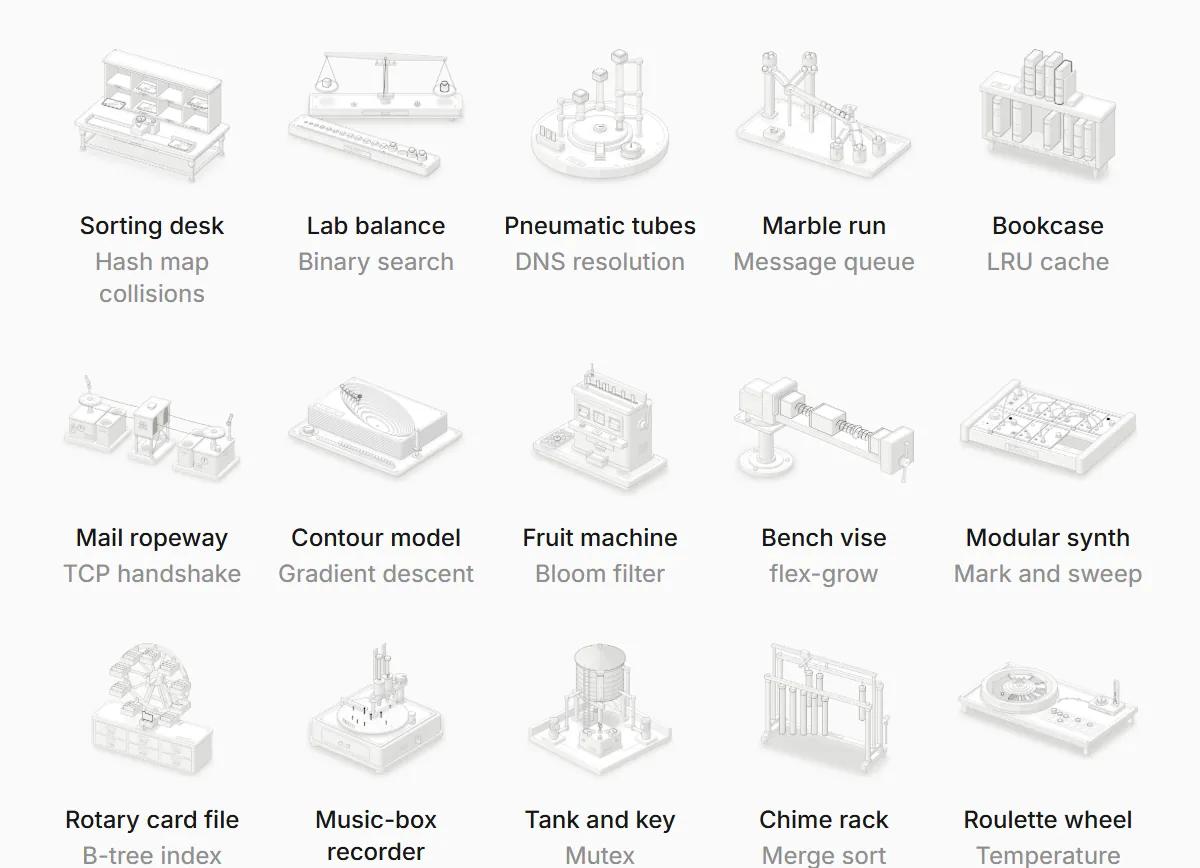
Some examples from the official collection, which has 33 figures:
| Technical concept | Object Claude invented |
|---|---|
| Hash map collisions | A mail sorting desk |
| Binary search | A lab balance |
| DNS resolution | A pneumatic tube system |
| Message queue | A marble run |
| LRU cache | A bookcase |
| Bloom filter | A fruit machine |
| Mutex | A tank with an interlock key |
| LLM temperature | A roulette wheel |
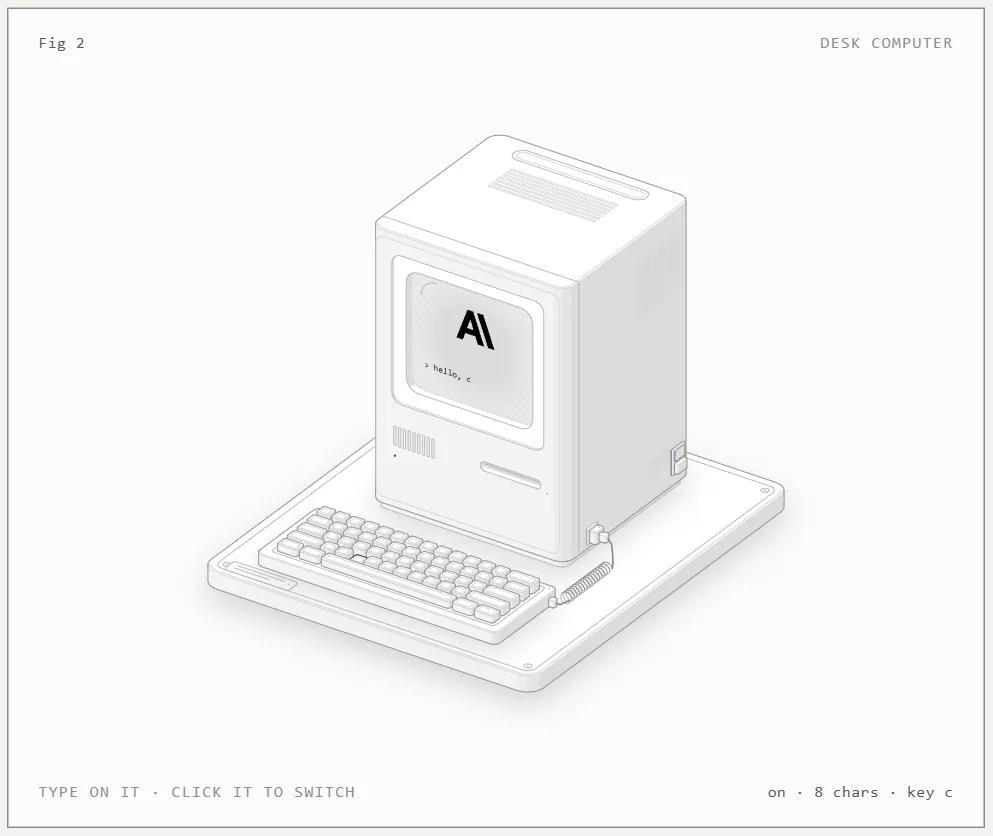
Each figure sits in a card with a figure number, a title, an interaction hint and a live readout ("block 2 · reads 14.1 px", "8 chars · key c"). The readout comes from the same model that moves the parts, so the drawing and the numbers never disagree.
What kinds of figure it makes
| Kind | What it is | Use it for |
|---|---|---|
| **SVG** | Solid isometric parts with four-tone shading, eased motion and a live readout | Most cases: mechanisms, flows, algorithms |
| **SVG + WebGL** | A shader between two SVG layers, in the same isometric camera | Fire, engine exhaust, water, caustics, light |
| **3D (beta)** | Parts that really turn in 3D and are re-shaded every frame | Dials, turntables, parts breaking off |
And three delivery formats: a standalone HTML page, a lone .svg file with its styles embedded, or React/Next.js components (a server component for the static art and a client component for the motion). Every figure has light and dark themes, responds to pointer and keyboard, stops when off screen, goes still under reduced motion and announces its readout to screen readers.
What Anatomy does not do
Worth spelling out, because we have seen the wrong expectations about this skill:
- It doesn't index or analyse websites. No crawling, no SEO improvements, no reading your site to summarise it.
- It doesn't build full web pages. It is not a landing page or UI component generator. It produces a figure (or several) that you then place in your site.
- It isn't a charting library. No axes, series or data plots. For a dashboard you need another tool.
- It doesn't draw people or exact maps. It draws machines, instruments, tools and furniture. An idea with no mechanism to build comes out weaker.
- It isn't fast. A small figure ("Figure", 40-80 parts) takes 30 to 90 minutes of Claude's time. A "Hero" (80-150 parts) takes 2 to 4 hours. An "Epic" (a vehicle, a building) runs past 6 hours and Claude won't start one without asking you.
What it does very well is something hardly anyone can produce by hand in a day: custom, interactive, lightweight technical illustrations with design-studio quality and code you own.
What it is good for in web development
- Landing page hero. Instead of a stock illustration or an app screenshot, a machine that explains what your product does and that visitors can play with.
- Technical documentation. "How the connection pool works" or "how the cache is invalidated" lands better with a figure that moves. One of the skill's test prompts asks for exactly that for a Next.js docs site.
- Blog posts and newsletters. A static SVG or an embedded HTML page that makes the article memorable and shareable.
- Product onboarding. Explaining your SaaS flow (queues, webhooks, retries) to non-technical customers.
- Internal training. Showing a new team how part of the system works.
How a software agency can use it
For an agency, Anatomy doesn't replace the designer or the developer. It is a production tool for one specific deliverable that used to be expensive: the custom technical illustration.
- A new service to sell. An "interactive product illustration" for a SaaS or fintech client's home page. It is a visible, differentiating line in a proposal.
- Proposals people understand. A figure explaining the architecture you propose (queues, cache, replicas) persuades better than a box diagram in a PDF.
- Documentation as a deliverable. Many agencies hand over projects with thin docs. Two or three figures of the key flows raise the perceived quality.
- Your own content. For the agency's blog and social channels: pieces that get shared because people can touch them.
- Code the client owns. The output is a Node script or React components in the client's repository, MIT licensed. No subscription, no third-party platform.
Before you sell it:
- Budget the real time. The first version arrives quickly, but the quality comes on the second pass. The author says the Raptor engine had a working version in 38 minutes and needed 10 more hours to get right.
- Token use matters. A long Claude Code session eats into your plan. Treat it as production hours.
- Iterate with the client. The docs say it plainly: treat the first figure as a draft, play with it, say what is off and ask again.
Licence and commercial use
Both the skill and the figures are MIT licensed: you can use them in client work and commercial products. Keep the kit's copyright notice if you copy it into a project. The official collection is also published as an npm package, `anatomy-figures` (version 0.1.0), with React components and five themes: dark, light, paper, blueprint and sepia.
FAQ
Does Anatomy need React?
No. By default it produces a standalone HTML page or an SVG. React and Next.js are an option.
Do I need an API key or to pay for anything else?
No. It runs on your Claude Code (or Codex, OpenCode, Antigravity) and Node.js. The kit uses only Node's built-in modules.
Will it slow my site down?
Barely. Figures stop when off screen and only redraw the moving parts. WebGL shaders render only while the effect is active and visible.
Can I edit a figure afterwards?
Yes. It is ordinary code in your project. Ask Claude for changes or edit the model: since parts, readout and motion all read from the same model, one changed number updates everything.
Can it build dynamic websites?
Not directly. It builds the interactive illustrations that go inside those pages. To generate whole pages, use other skills or ask Claude Code without Anatomy.
Conclusion
Anatomy is a narrow skill that is very good at its job: it turns a technical idea into an interactive, lightweight isometric machine with code you own. It doesn't index sites or build them. For developers and agencies it is a realistic way to produce custom technical illustrations for landing pages, docs and content. In part 2 we install it, ask it for a figure about website caching and show you the result and how to put it into a project.
// source code
// implementation
More on AI agents

- Skills for your agents
- Claude Code

- Skills for your agents
- Claude Code

- Skills for your agents
- Claude Code