How to use Anatomy in Claude Code: install, prompts and a real worked example
In this tutorial we install Anatomy in Claude Code, ask it for a figure and take it all the way to a published page. The example is real: an interactive illustration of how stale-while-revalidate web caching works. Claude Code built it in 11 minutes 44 seconds, and you can open it and play with it here. You'll see the exact commands, the prompt, what Claude does while it works, how to review the result and how to put it on your site or in a client project.
If you don't know what Anatomy is or what it is for yet, read part 1 of this guide first. If you have never installed a skill, the Claude Code skills guide covers the basics.
Requirements
Tested on 14 October 2026 with:
- Claude Code 2.1.284 running Claude Opus 5.5, on Windows 11.
- Node.js 20.10 or later for the skill (we used Node 24.14). Installing with
npx skills addneeds Node 22.20 or later. - Google Chrome or Chromium. The skill drives it headless to take screenshots and check its own work.
- Anatomy 1.1.0 (
mainbranch, commite6600ff).
No API keys and no npm install: the kit uses only Node's built-in modules.
Step 1: install Anatomy in Claude Code
From your project folder:
npx skills add wheresryan22/anatomy -a claude-codeThat installs it for that project only, in .claude/skills/anatomy. To have it in every project, add -g (it goes to ~/.claude/skills/anatomy). We added -y to accept the defaults without prompts.
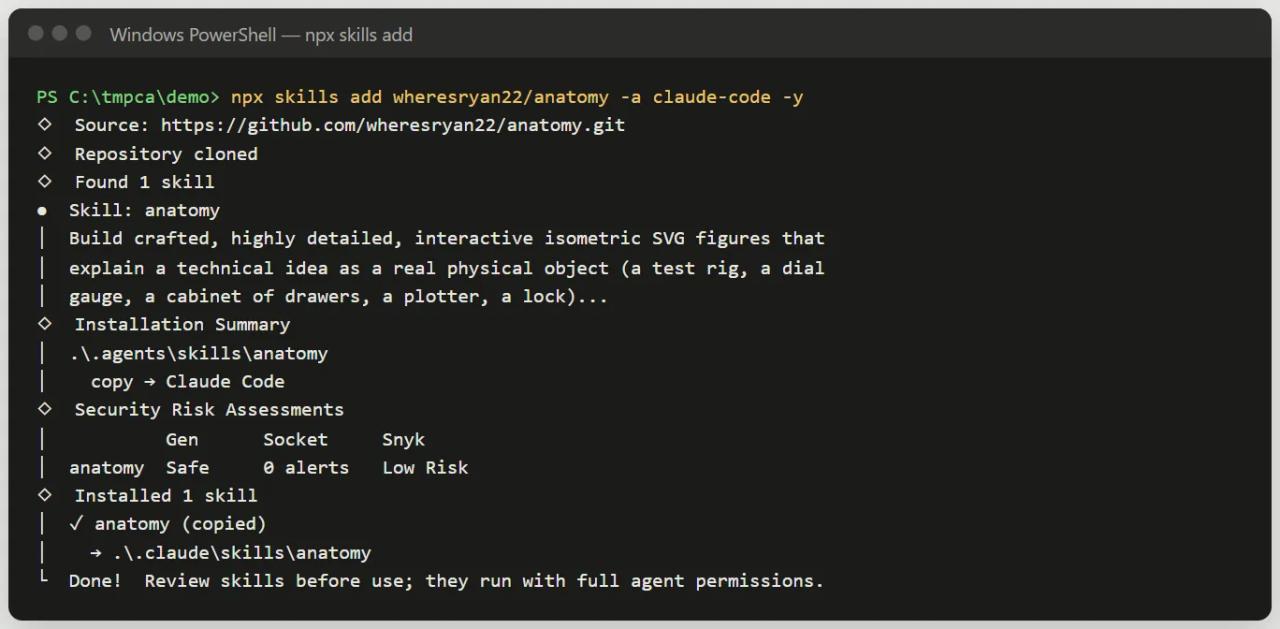
The install copies the whole repository, examples included (about 10 MB). If you prefer git:
git clone https://github.com/wheresryan22/anatomy.git .claude/skills/anatomyGlobal or per project? For an agency we recommend per project, committed to the repository: anyone working on that project gets the same skill version and can rebuild the figures.
Claude Code picks up the skill without a restart. If the .claude/skills folder didn't exist when the session started, run /reload-skills.
Step 2: write the prompt
Anatomy's golden rule: describe the idea, not the drawing. Inventing the object is Claude's job, and it does it better than you describing boxes and arrows. Your prompt should include:
- What to explain, with real numbers. Timings, sizes, thresholds, counts. The figure uses them in its model and its live readout.
- The keywords you want.
interactiveso it responds to pointer and keyboard; without it you get a still drawing.WebGLif you need fire, water or light.3Dif a part must really turn (beta, and slow). - Where it will live. Standalone HTML page, a lone SVG file or React/Next.js components, and light or dark theme.
- The size, if you want to cap it. "Figure" is a small figure (40-80 parts). If you don't say, Claude decides and warns you about the time when it is bigger.
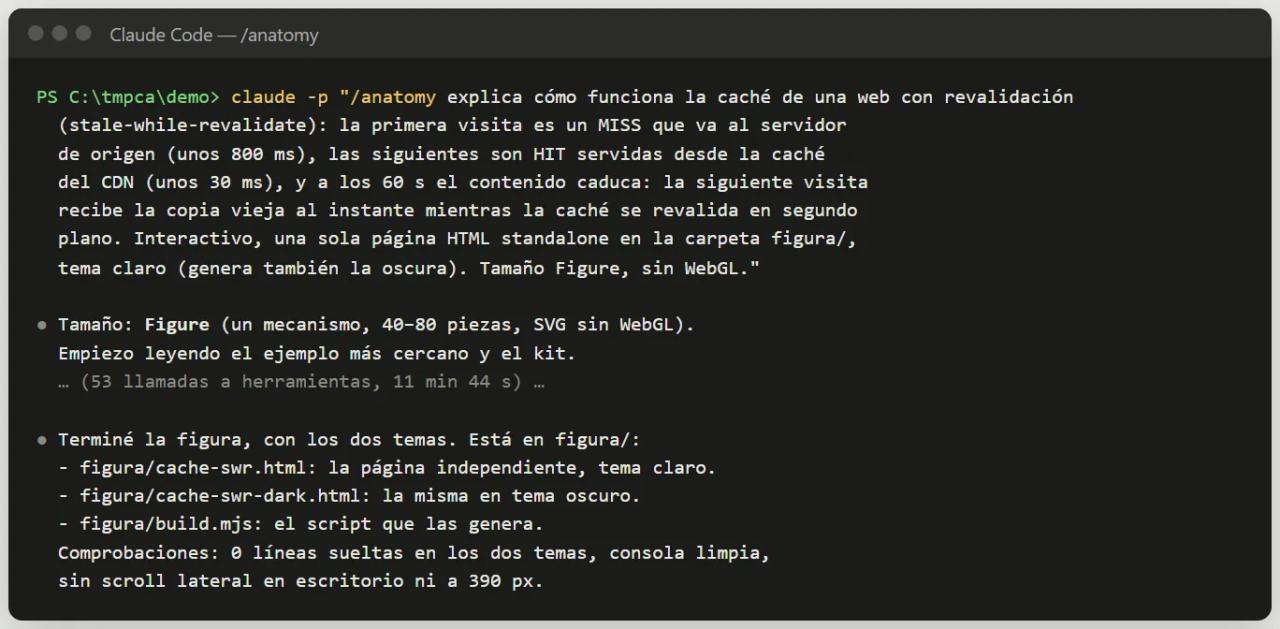
Our prompt (we wrote it in Spanish, so the figure's labels came out in Spanish). In English it reads:
/anatomy explain how stale-while-revalidate web caching works: the first
visit is a MISS that goes to the origin server (about 800 ms), the next ones
are HITs served from the CDN cache (about 30 ms), and after 60 s the content
expires: the next visit gets the old copy instantly while the cache
revalidates in the background. Interactive, a single standalone HTML page
in the figura/ folder, light theme (also build the dark one). Figure size, no WebGL.
You don't have to type /anatomy. Ask for "an interactive technical illustration of how X works for our docs" and Claude loads the skill on its own. Putting it at the start of the message guarantees it.
Step 3: what Claude does while it works
Anatomy makes Claude follow a fixed order. In our session it went like this:
- Picks the size. The first thing it wrote was "Size: Figure (one mechanism, 40-80 parts, SVG without WebGL)".
- Reads the closest example. It opened
examples/dial-indicator(the smallest one), the kit reference, the craft rules (craft.md) and the verification checklist (verify.md). - Writes the model before the drawing. Every number comes from a single object. This is the real top of
figura/build.mjs:
const MODEL = {
  ttl: 60, // s-maxage, in seconds
  rate: 10, // the age clock runs ten times real time, so the minute passes in 6 s
  out: 260, // ms, edge to origin
  render: 280, // ms, the origin builds the page
  back: 260, // ms, origin to edge
  hit: 30, // ms, served from the edge
  scale: 80, // s, full scale of the age dial
};
MODEL.trip = MODEL.out + MODEL.render + MODEL.back;
The 800 ms MISS we asked for splits into out (260), render (280) and back (260). The age clock runs 10× fast so the 60 s TTL passes in 6 seconds, and the figure's legend says so.
- Invents the object, builds the geometry and paints back to front with the isometric kit.
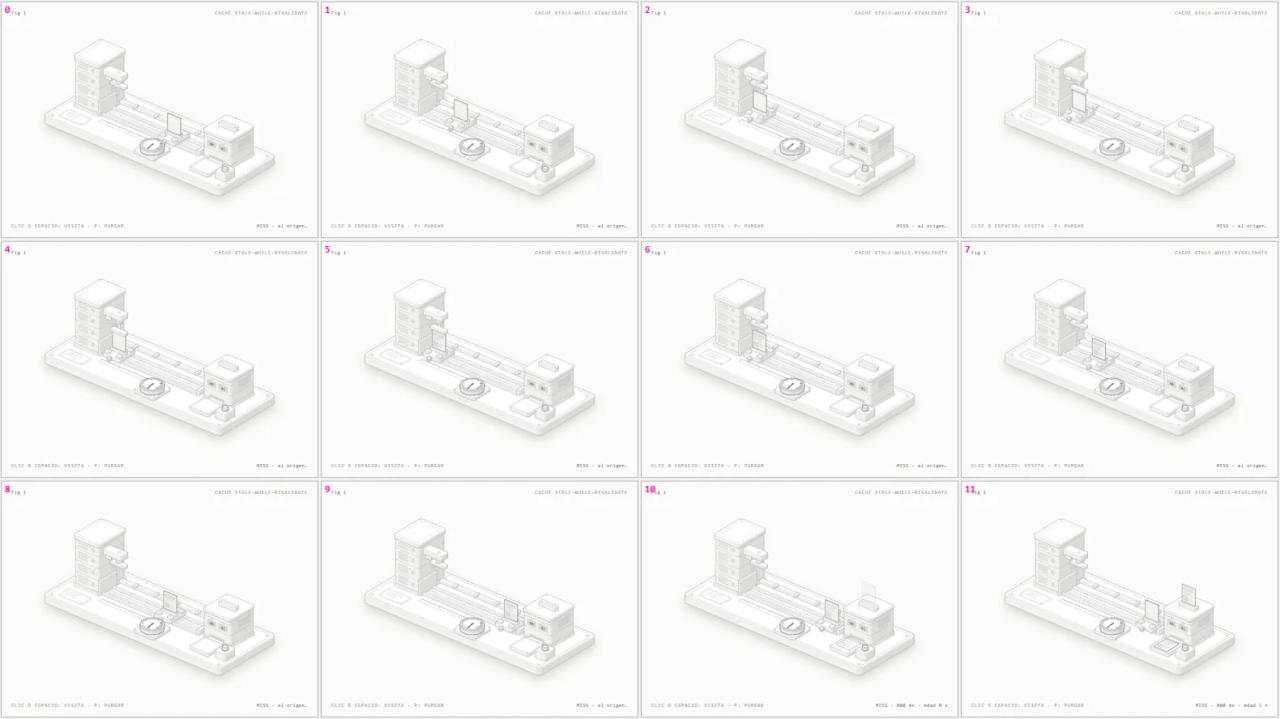
- Checks itself. Headless Chrome screenshots on desktop and at 390 px wide, slowed-down sequences and close-ups, and the loose-line check driven to zero.
Session numbers: 11 min 44 s, 53 tool calls and about 58,000 output tokens. That is a small figure; big ones take hours (see part 1).
Permissions during the session
Anatomy runs node many times (build, capture, check). In an interactive session Claude Code will ask permission for those commands. To avoid approving them one by one, allow Bash(node:*) for that project. Non-interactively we did this:
claude -p "/anatomy ..." --allowedTools "Bash(node:*)" "Read" "Write" "Edit" "Glob" "Grep" "Skill"The result: what Claude invented
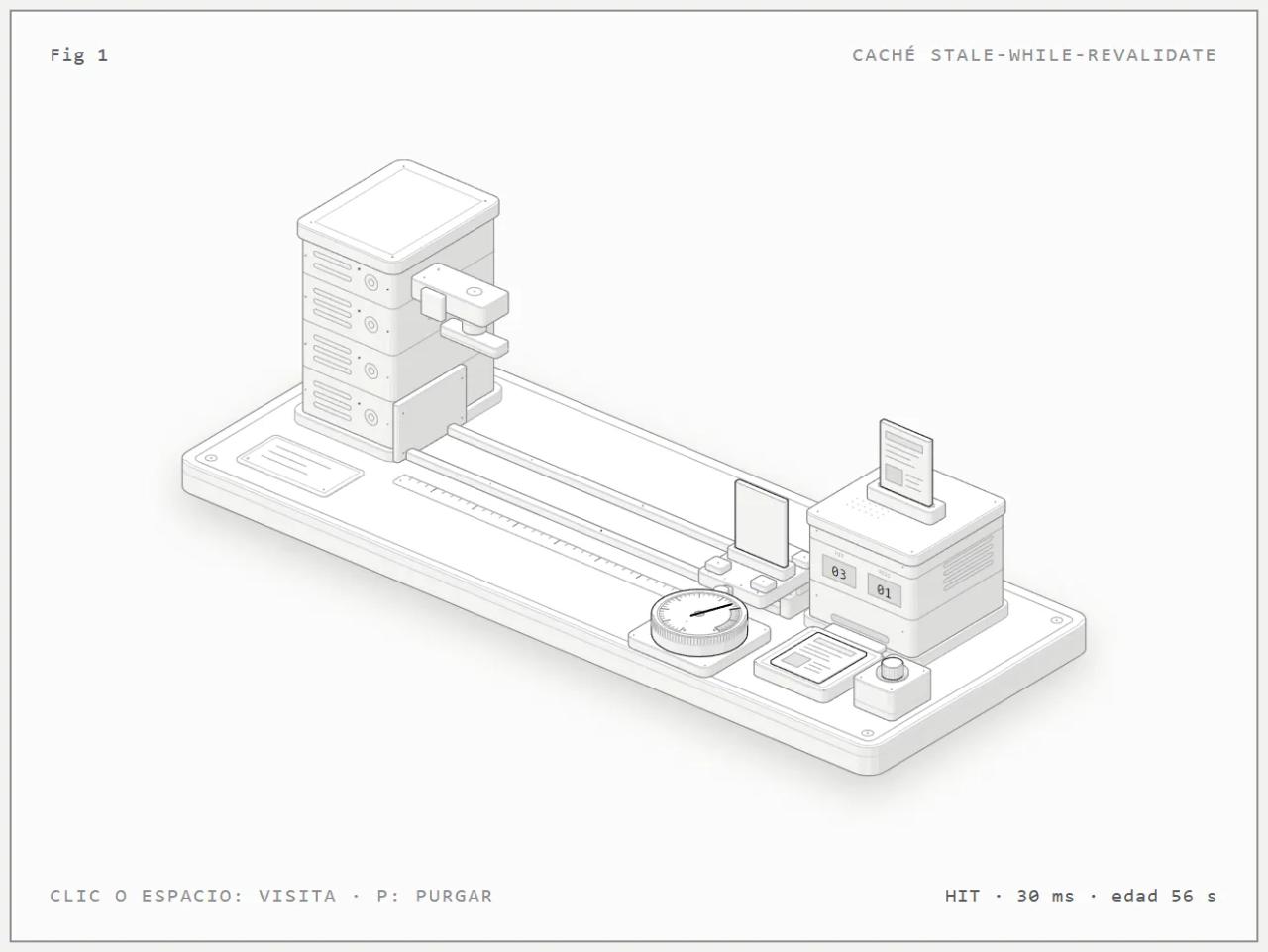
To explain the cache, Claude built a test bench:
- The origin is a server tower with four rack units and a press that "prints" the page.
- The trip to origin is a shuttle running on rails and a rack.
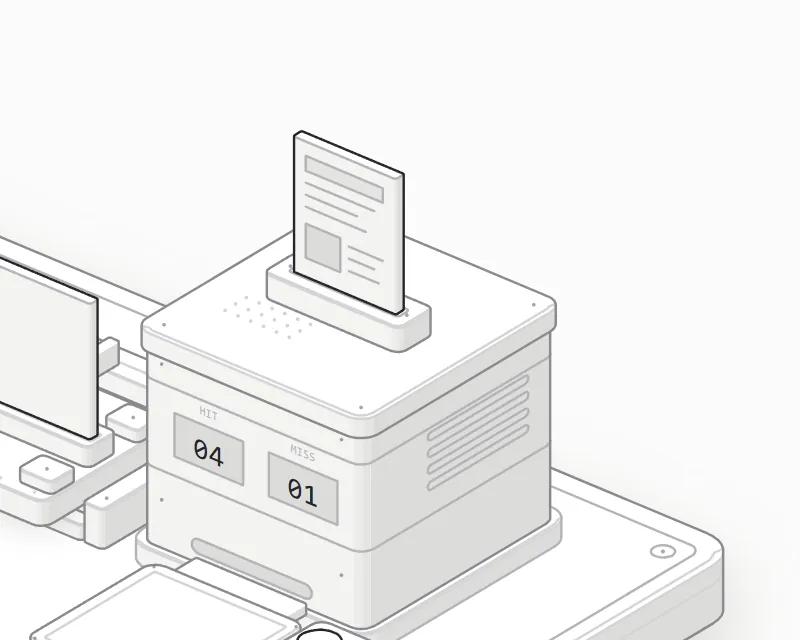
- The CDN cache is a cabinet holding the page copy in a slot, with two counters, HIT and MISS.
- Up front there is a tray where the served copy lands, a visit button and an age dial from 0 to 80 s with the 60-80 s band shaded as "expired". The needle is the only highlighted part.
And it behaves like this: a MISS sends the shuttle to origin and takes 800 ms; a HIT serves the copy in 30 ms; after 60 s the visit is STALE: it gets the old copy in 30 ms while the shuttle goes to revalidate, and the dial resets when it returns. More visits during that trip don't trigger a second trip, which is exactly how stale-while-revalidate works.
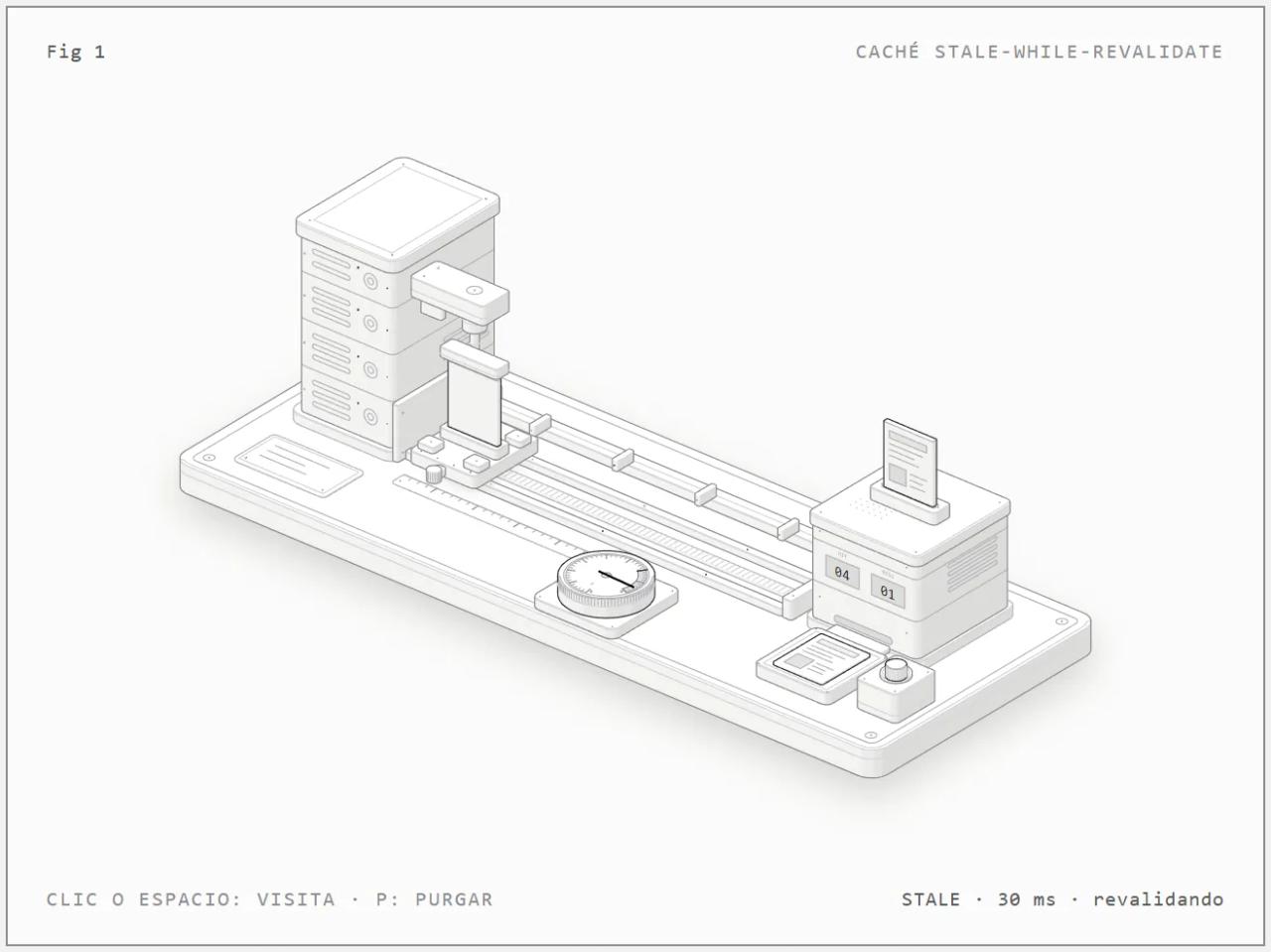
Controls: click, Space or Enter makes a visit and P purges the cache. Left alone, it loops a cycle of about 13 seconds. With reduced motion on, there is no idle tour.
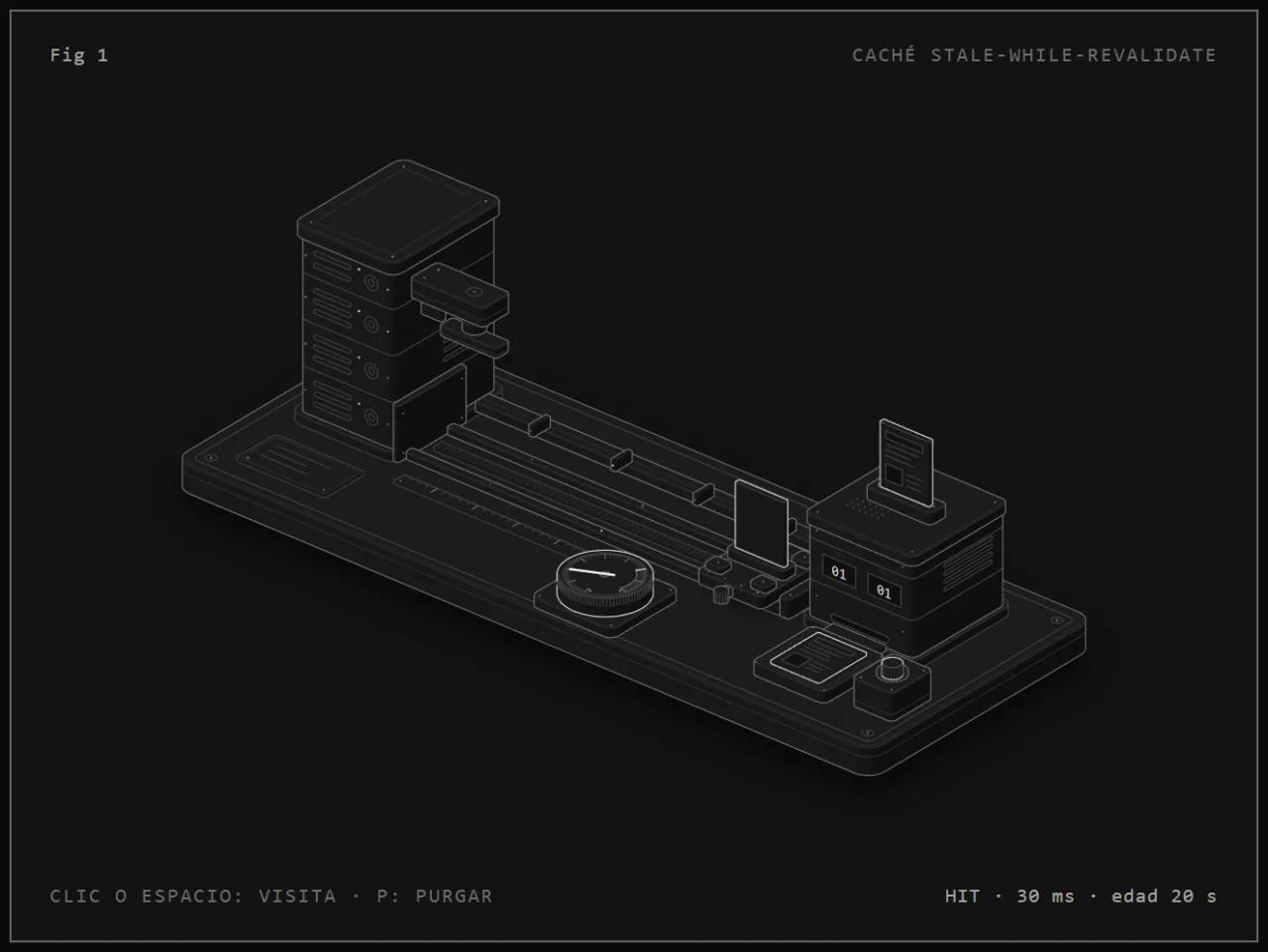
[Open the interactive figure (light theme)](/demos/anatomy/cache-swr.html) · [dark theme](/demos/anatomy/cache-swr-dark.html)
Step 4: review and iterate
Anatomy's docs are clear: treat the first figure as a draft. Open it, play with it and tell Claude what bothers you, in the same session:
The age dial reads small: make it 30% larger and move the tray so it
doesn't cover it. Run the checks again.Add a third "STALE" counter to the cabinet and make the caption explain
the difference between MISS and STALE in one sentence.To rebuild the pages after editing the model by hand:
node figura/build.mjs
node figura/build.mjs --dark
node .claude/skills/anatomy/scripts/lines.mjs figura/cache-swr.html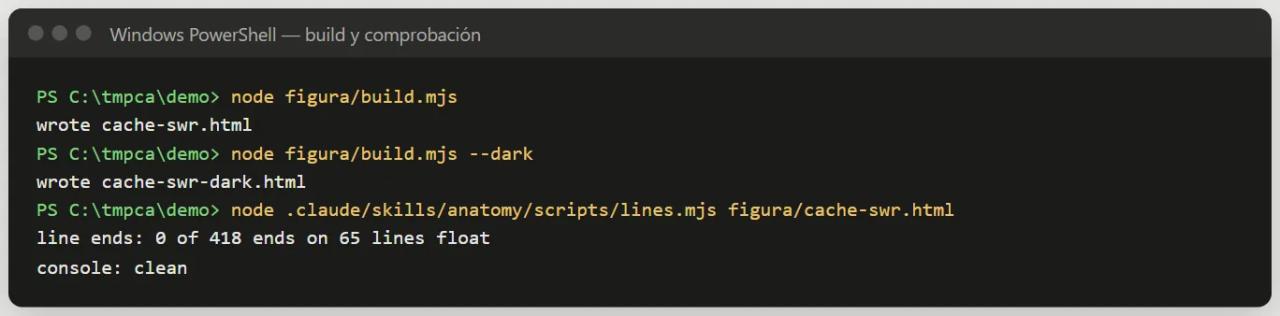
Step 5: put the figure on your site
It depends on the format you asked for:
Standalone HTML page (any site)
A single file with everything inside (drawing, styles and script) and no external requests. Ours weighs 182 KB. In Next.js, copy it to public/ and link to it or embed it with an iframe:
<iframe
  src="/demos/anatomy/cache-swr.html"
  title="How stale-while-revalidate caching works"
  width="100%" height="560" loading="lazy" style="border:0">
</iframe>
That is how we published it on this blog. It works the same in WordPress, Webflow or a static site.
A lone SVG
Ask for "just the SVG file" and the figure comes out as an .svg with its styles embedded. Use it as an image in a post, a newsletter or a slide deck. You lose the interaction but it is lighter.
React or Next.js components
Ask for it in the prompt, for example: *"as React components for our Next.js docs, dark theme"*. The skill copies the kit into the project, keeps the geometry in .ts modules, the static art in a server component and the motion in a single "use client" component.
Ready-made figures: anatomy-figures
If one of the 33 figures in the official collection fits, you don't need to build it: they are on npm as React components (MIT licence).
npm install anatomy-figuresimport { Watch } from "anatomy-figures";
export default function Page() {
return <Watch theme="light" />;
}A workflow for agencies
- Brief. With the client, pick *one* idea their site needs to explain: how their product, process or architecture works. Get the real numbers.
- Prompt. Idea + numbers +
interactive+ target format + brand theme. - First version. A small figure arrives in minutes; let the skill finish its checks.
- Client review. Send the link to the HTML page. Collect concrete feedback ("the counter isn't clear", "make the server bigger").
- Second pass and integration. Apply the changes in the same session and deliver as HTML, SVG or React components in the client's repository.
Budget token use and review rounds as production hours.
Copy-paste prompts
/anatomy explain how a pool of 10 database connections works: requests
borrow one and give it back, and when all 10 are busy new requests wait in
a queue. Interactive, React components for Next.js, dark theme./anatomy explain how a token bucket rate limiter lets through 100 requests
per minute with bursts of 20. Interactive, standalone HTML, light theme./anatomy explain how a webhook queue retries a failed delivery 3 times with
exponential backoff (1 s, 4 s, 16 s) before sending it to the dead-letter
queue. Interactive, standalone HTML./anatomy an isometric SVG explaining how a payment gateway authorises and
then captures a charge, for a fintech landing page, light theme.
Just the SVG file and a PNG preview.Common errors
Filename too long when installing or cloning on Windows
Git on Windows hits the 260-character limit if the project lives in a very deep path. It happened to us cloning into a deep temp folder. Use a short path or git -c core.longpaths=true clone ....
The skill doesn't show up in Claude Code
Check that .claude/skills/anatomy/SKILL.md exists (no extra folders like anatomy-main). If you created .claude/skills with the session open, run /reload-skills.
Chrome exited before startup: 0
This happened when running the checks from an elevated (administrator) Windows terminal. It is fixed on the main branch (the scripts pass --do-not-de-elevate). Update the skill by running npx skills add again or git pull. If Chrome lives in an unusual path, set the CHROME_PATH variable.
The checks fail in Codex
Codex's sandbox can block Chrome. The figure is still built; only the screenshots fail. Approve those commands outside the sandbox when Codex asks, or run them yourself: node scripts/capture.mjs page.html --out shots/page.png.
The figure takes far longer than expected
Normal for big figures: ask explicitly for "Figure size" or "something quick" to cap it. For an "Epic" (a vehicle, a building), Claude first proposes a smaller version.
FAQ
How much does a figure cost?
The skill is free (MIT). The cost is your Claude plan usage: our small figure used about 58,000 output tokens in 12 minutes. Big ones use a lot more.
Can I use Anatomy in client projects?
Yes. The skill and the figures are MIT licensed. Keep the kit's copyright notice if you ship it in the project.
Does the figure work on mobile?
Yes. The skill checks it at 390 px wide and verifies there is no sideways scroll.
Can the labels be in another language?
Yes. Write the prompt in that language and the card's labels follow, as in our Spanish example ("CLIC O ESPACIO: VISITA").
Do I need to code?
Not to generate it. To put it on a site, just enough to copy a file to public/ or paste a component.
Conclusion
With Anatomy installed, a good figure comes from a prompt with the idea, the real numbers, the word "interactive" and the target format. In our example Claude Code took 12 minutes to turn stale-while-revalidate into a test bench you understand at a glance, and checked it by itself. The next step is to pick the concept your site, or your client's, struggles most to explain and ask for it. For more skills in your workflow, see social-media-skills for writing content in your own voice.
// source code
// implementation
More on AI agents

- Skills for your agents
- Claude Code

- Skills for your agents
- Claude Code

- Skills for your agents
- Claude Code