teach and wait-what: really learn with your agent, and stop it when you don't follow
Nearly every skill in this guide helps the agent understand you. The last two do the opposite: they help you understand what the agent does and says. teach turns a folder into a multi-session learning workspace, with lessons, reference sheets and a record of what you already know. wait-what is a one-line command for when the agent hands you a message you didn't follow. One is for learning in depth; the other is for not getting lost in the moment.
This is part fourteen, the last in the Matt Pocock skills guide (mattpocock/skills repository, MIT license). Both are user-invoked.
wait-what: "hang on, I didn't follow"
It's the shortest skill in the repository. Its entire content is one instruction to the agent:
Wait, I don't understand where you've got to here. Re-pitch that: give me a little bit of context, talk in ASD-STE100 Simplified Technical English, and use the ubiquitous language fromGLOSSARY.md(followGLOSSARY-MAP.mdto the right one if the repo has more than one).
Three ingredients:
- Context: what you were missing to follow the reasoning.
- ASD-STE100: Simplified Technical English, an aerospace industry standard for technical documentation with a controlled vocabulary and short sentences. It gives the agent a concrete reference for "explain it simply".
- The project glossary: the vocabulary you agreed on with grill-with-docs, instead of new jargon.
You can fire it in the middle of any other skill. ask-matt calls it the after-the-fact corrective, and is clear about the upfront cure: a shared language agreed early is what stops the jargon arriving at all.
One detail: the standard asks for simplified English. If you work in another language, add it when invoking (/wait-what in Spanish), or the agent may answer in English.
teach: a multi-session learning workspace
/teach assumes you want to learn something over several sessions. It treats the current folder as a stateful teaching workspace:
MISSION.md              # why you want to learn this
RESOURCES.md            # trusted sources found so far
NOTES.md                # your preferences and the agent's notes
lessons/0001-*.html     # single-page lessons
reference/*.html        # cheat sheets and glossaries for review
learning-records/0001-*.md  # what you've already learned
assets/                 # shared stylesheet and reusable components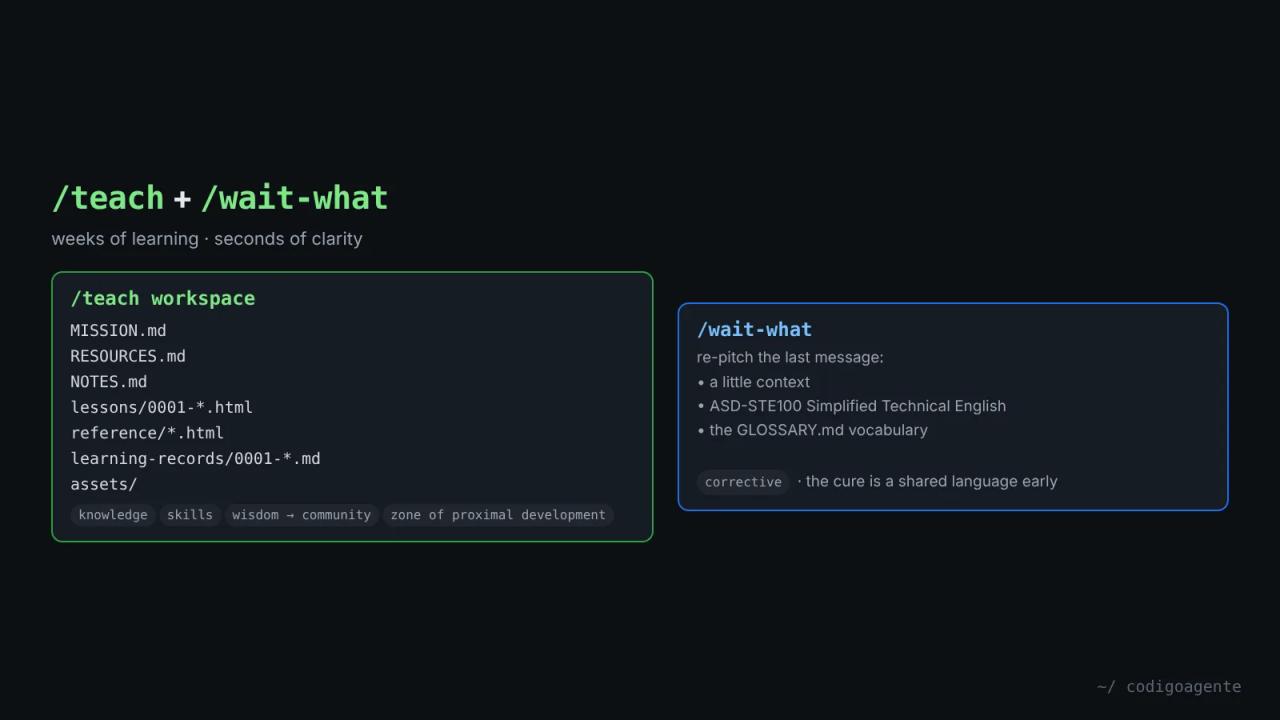
Mission first
Everything is anchored in MISSION.md: the real reason you want to learn it, what success looks like, your constraints and what's out of scope. If it isn't clear, the agent's first job is to ask you why. Without a mission, lessons turn abstract and there's no way to tell what to teach next.
Knowledge, skills and wisdom
The skill separates three things:
- Knowledge: comes from high-trust sources, tracked in
RESOURCES.md. The rule: "never trust your parametric knowledge". Lessons carry citations to the sources. - Skills: built through interactive lessons on a feedback loop as immediate as possible (quizzes, light in-browser tasks, guided steps).
- Wisdom: only comes from real-world practice, so the agent tries to answer but delegates to a community (a forum, a local group, a class), unless you say you don't want that.
Retain, don't just understand
It separates fluency (in-the-moment recall, which gives an illusion of mastery) from storage strength (long-term retention, the real goal). For the latter it uses desirable difficulty: retrieval practice, spacing and interleaving. For new knowledge, by contrast, difficulty is the enemy, because it eats the working memory you need to understand.
Even the quizzes have rules: every answer the same number of words, and the correct one in varying positions, so formatting gives no clues.
Lessons
Each lesson is a self-contained HTML file in lessons/, short, quick to complete and giving one tangible win. It should be beautiful ("think Tufte"), link to other lessons and references, recommend the best primary source found, and remind you that you can ask the agent. The level is set by the zone of proximal development: the agent reads your learning-records to teach exactly the next thing you can learn, not easier and not harder.
Learning records work like ADRs for code: one paragraph on what was learned and why it changes what to teach next.
How they combine
Both target the same gap, the human falling behind the agent, on two time scales:
- wait-what in seconds: one specific message you didn't get.
- teach in weeks: a whole topic you need to master.
And they share the glossary. wait-what re-explains with the project's GLOSSARY.md; teach builds its own glossary in reference/ and sticks to it in every lesson. If using wait-what shows you're missing a background concept (what a seam is, what a deep module is), that's the signal to open a folder and run /teach on that topic.
An example with this guide: if after reading part 8 deep modules still feel abstract, /teach deep module design creates a mission, finds primary sources (Ousterhout's book, Feathers' book) and gives you a short first lesson with a "deletion test" exercise on your own code.
Common mistakes
- Skipping the mission in teach. Without it, lessons are generic.
- Running teach in the project folder. It creates many files; better a dedicated folder per topic.
- Expecting wait-what to answer in your language unprompted. The standard it cites is simplified English.
- Using wait-what instead of a glossary. It's a patch; the cure is
grill-with-docsfrom the start.
FAQ
Does teach work for non-programming topics? Yes. The skill itself gives yoga and theoretical physics as examples.
Where do I see the lessons? They're HTML files in lessons/; the agent tries to open them in your browser with a command.
Does wait-what need a GLOSSARY.md? No, but it works better with one: without a glossary, it only has the context and the plain-language rule.
Guide recap
This part closes out the 27 skills in the mattpocock-skills plugin. The full route:
- What they are and install:
setup-matt-pocock-skillsandask-matt. - grill-me and its real examples.
- grill-with-docs and domain-modeling.
- to-spec and to-tickets.
- tdd and diagnosing-bugs.
- implement and code-review.
- improve-codebase-architecture and codebase-design.
- prototype and research.
- wayfinder and triage.
- handoff and to-questionnaire.
- pr and wizard.
- retro and writing-for-agents.
If you only use one, make it grill-with-docs inside a repository or grill-me outside one.
// source code
// implementation
More on AI agents

- Skills for your agents
- Claude Code

- Skills for your agents
- Claude Code

- Skills for your agents
- Claude Code