HyperFrames: turn HTML into MP4 videos with AI agents (what it is, setup and a real test)
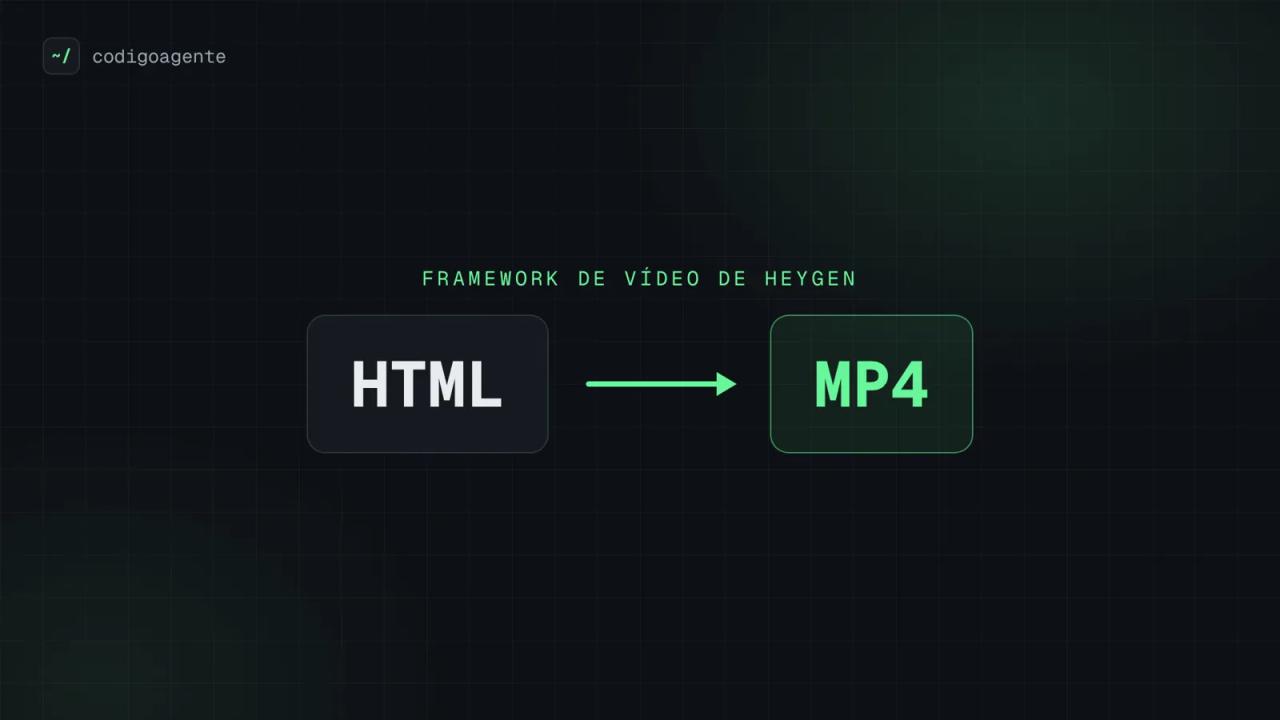
HyperFrames is an open source framework from HeyGen that turns an HTML page into an MP4 video. You write the scene in HTML, CSS and animation (GSAP, CSS, Lottie, Three.js...), mark timing with data-* attributes, and its CLI records the result frame by frame with headless Chrome and FFmpeg. It is designed to be driven by an AI agent such as Claude Code, Codex or Cursor, and it ships under the Apache 2.0 license.
We installed version 0.8.170 (released 18 October 2026) on Linux and made two real videos for codigoagente, with a female Spanish voiceover generated locally and background music. Here is what it is, what it is for, how to install it, how we built the videos and the errors we hit.
If agent skills are new to you, start with our Claude Code skills guide: HyperFrames is mostly installed as a skills bundle.
What HyperFrames is and who builds it
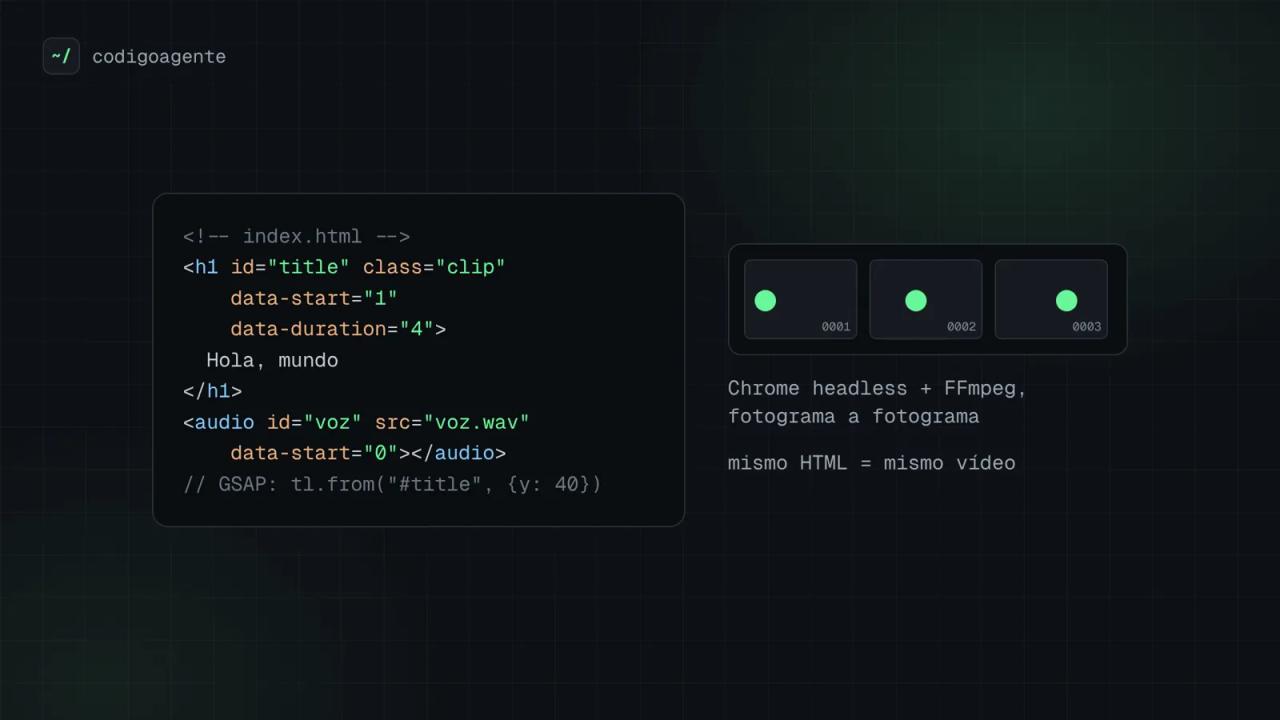
The README sums it up in one line: "Write HTML. Render video. Built for agents." A video is an index.html file. Every element that appears and disappears carries data-start and data-duration, animations live in a paused timeline the engine can seek to any frame, and audio is plain <audio> tags the framework mixes for you.
Facts we checked in the heygen-com/hyperframes repository:
| Fact | Value |
|---|---|
| Version tested | 0.8.170 (`hyperframes` package on npm, 18 October 2026) |
| License | Apache 2.0, Copyright 2026 HeyGen |
| Requirements | Node.js 22 or later and FFmpeg |
| Engine | Headless Chrome (Puppeteer) captures each frame; FFmpeg encodes and mixes audio |
| Animation | GSAP, CSS, Lottie, Three.js, Anime.js, WAAPI or your own adapter |
| Agent skills | 21 published (a `/hyperframes` router plus workflow and domain skills) |
| Production use | HeyGen; `ADOPTERS.md` also lists tldraw and TanStack |
HeyGen uses it in production and ships releases almost daily: the repository's releases/ folder keeps notes going back to 0.6.52.
HyperFrames vs Remotion
The project says it is inspired by Remotion. Both render with headless Chrome and FFmpeg; what changes is how you author the video and the license:
| HyperFrames | Remotion | |
|---|---|---|
| Authoring | HTML + CSS + seekable animation | React components |
| Build step | None, `index.html` plays as-is | Bundler required |
| License | Apache 2.0, commercial use with no thresholds | Remotion License (source-available, company license above a certain size) |
| Distributed rendering | Local, AWS Lambda and Google Cloud Run | Remotion Lambda, more mature |
If your team already lives in React, Remotion is still a solid choice. If you want an agent to generate videos without setting up a React project, plain HTML is easier to write and to review.
What HyperFrames is for
The README's list matches what we saw in its skills:
- Launch videos for a product or a website, from its URL or a script.
- Explainers with animated charts, maps and data.
- Social clips with kinetic captions, overlays and music.
- Videos that walk through a GitHub pull request, with an animated diff and narration.
- Automated pieces: the same HTML with different variables renders a different video, ideal for templates.
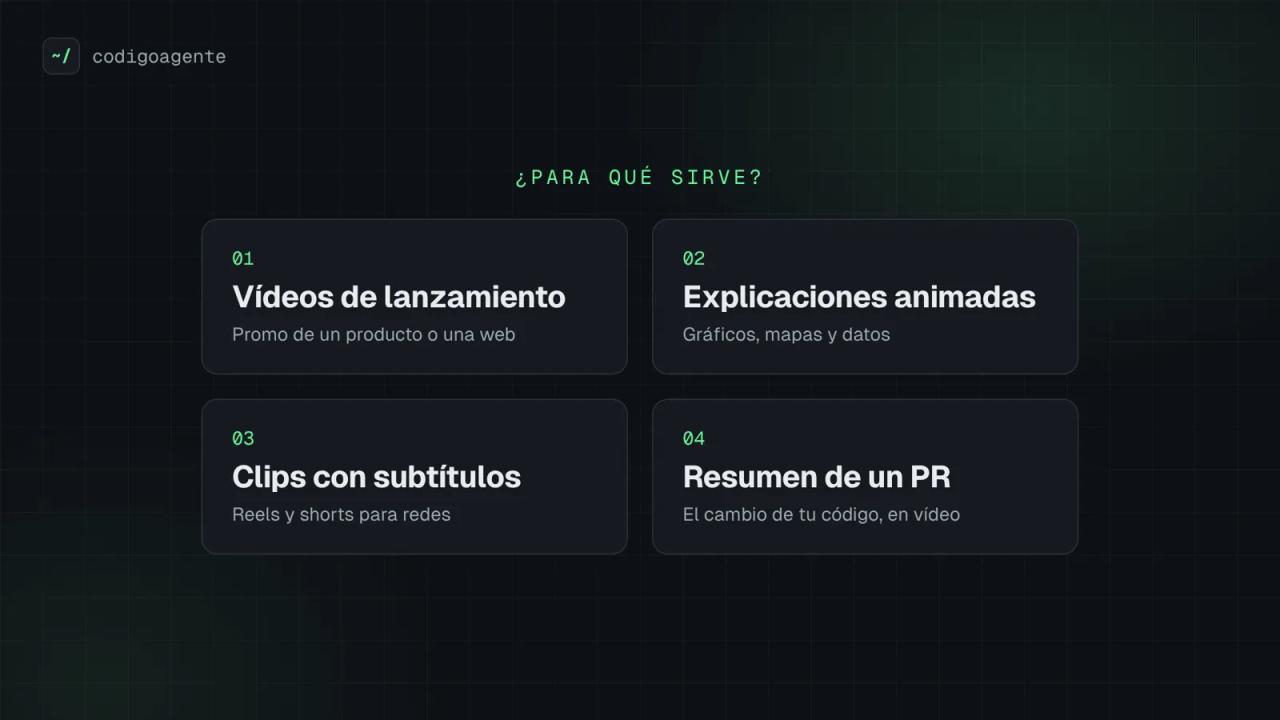
What sets it apart from an editor like Premiere or CapCut is that the video is code: you version it with Git, review it in a PR and re-render it identically ("same HTML, same video"), which is handy in CI or a content pipeline.
How to install HyperFrames
There are two routes: through an AI agent (the one the project recommends) or by hand with the CLI.
With Claude Code or another agent
Claude Code gets a plugin with every skill:
claude plugin marketplace add heygen-com/hyperframes
claude plugin install hyperframes@hyperframes
Then ask for your video with /hyperframes:hyperframes. For Codex, Cursor, Gemini CLI or OpenCode, install the standalone skills with:
npx skills add heygen-com/hyperframesThe picker opens with nothing selected: the Core Skills group is enough, because the /hyperframes router installs each workflow when it needs it. For non-interactive runs the README recommends npx hyperframes skills update, which installs exactly that core set. If you want to find more skills, see our find-skills guide.
By hand with the CLI
npx hyperframes init my-video
cd my-video
npx hyperframes preview   # browser preview
npx hyperframes render    # renders the MP4
Run the diagnostics before your first render; it tells you what your machine is missing:
npx hyperframes doctor
npx hyperframes browser ensure   # downloads Chrome Headless Shell if needed
On our Linux server doctor flagged three gaps: the render Chrome (fixed by browser ensure), local voice (Kokoro) and generated music (MusicGen). The last two are optional.
Real test: two codigoagente videos with voiceover and music
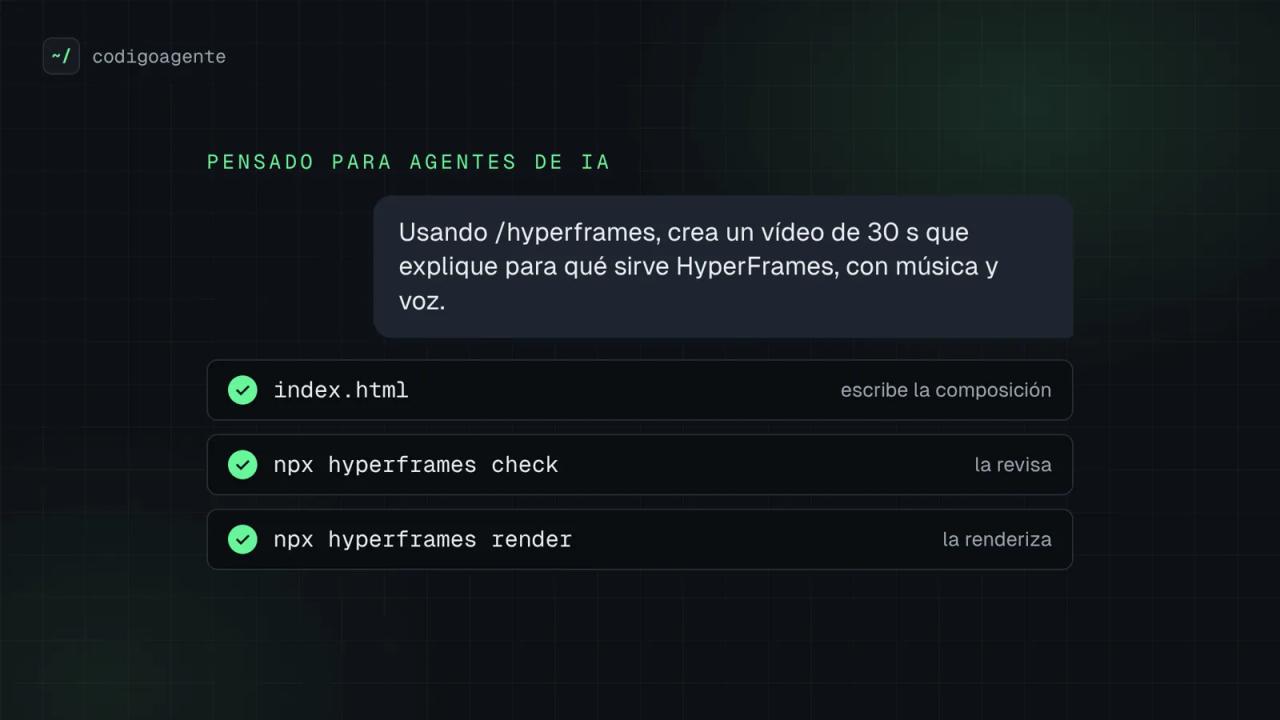
We wanted to see whether HyperFrames holds up beyond the demo. We made two 1920×1080, 30 fps videos with the blog's branding:
- codigoagente intro (21 s): the
~/logo, the blog's topics and a terminal showing "exact commands, cited versions, real errors". - What HyperFrames is for (47 s): what it is, how it works, use cases, the agent workflow and the license. The images in this article are frames from that video.
1. A female voiceover, generated locally
HyperFrames ships a text-to-speech command that runs Kokoro-82M on your machine, with no API or account. It needs Python with two packages:
pip install kokoro-onnx soundfile
npx hyperframes tts --list
The first run downloads the model (about 311 MB) and the voices (about 27 MB) into ~/.cache/hyperframes/tts. English has several female voices (af_heart is the default); for our Spanish videos we used Dora (ef_dora):
npx hyperframes tts "Hola, esto es código agente." -v ef_dora -o p1.wavWe generated one line per scene so picture and voice stay in sync: each file lasts as long as its sentence (between 1.4 and 8.7 seconds for us), and ffprobe gives the exact length to place each scene.
A pronunciation trick that worked: the Spanish phonemizer reads English names and acronyms the Spanish way, so in the voice text we spelled them phonetically ("Jáiper Freims" for HyperFrames, "hache te eme ele" for HTML), while the screen shows the real names.
The voice is clearly synthetic, but it is intelligible and costs nothing per minute. For a more natural voice, the CLI code also supports ElevenLabs (with ELEVENLABS_API_KEY) and HeyGen's voices if you have an account.
2. Background music
For music, HyperFrames can generate it locally with MusicGen (it downloads the model from Hugging Face) or use Google's Lyria with GEMINI_API_KEY. We wrote our own bed instead (A minor, F, C and G chords at 96 BPM, with an arpeggio and bass) in a short Python script and placed it at a low volume so it never covers the voice.
3. The composition
Each video is a single index.html. The part that matters looks like this (trimmed):
<div id="root" data-composition-id="main" data-start="0" data-duration="21"
     data-width="1920" data-height="1080">
  <section id="s1" class="clip" data-start="0" data-duration="3">
    <div id="s1-mark" class="mark">~/</div>
    <span id="s1-typed" class="typed">codigoagente</span>
  </section>

  <audio id="music" src="assets/audio/musica.wav"
         data-start="0" data-duration="21" data-volume="0.3"></audio>
  <audio id="vo1" src="assets/audio/p1.wav"
         data-start="0.8" data-duration="1.75" data-volume="1"></audio>
</div>
<script>
  const tl = gsap.timeline({ paused: true });
  tl.fromTo("#s1-typed", { width: "0ch" },
            { width: "12ch", duration: 1.2, ease: "steps(12)" }, 0.6);
  window.__timelines["main"] = tl;
</script>
The rules to respect, taken from the hyperframes-core skill:
- One paused GSAP timeline per composition, registered on
window.__timelinesunder the same id asdata-composition-id. - Every
<audio>needs anid: without it the mixer never finds it and the video renders silent. - Do not animate
visibilityorautoAlphaon a.clipelement (the framework owns when it is visible); animate its children. - No
Math.random(),Date.now()or network requests: the render must be deterministic. - A named font needs an
@font-facepointing at a local file. We used Geist and Geist Mono, the blog's own fonts.
4. Check and render
npx hyperframes check                       # lint, runtime, layout, motion and contrast
npx hyperframes snapshot --at 2,8,14,18     # PNG captures to review scenes
npx hyperframes render -o intro.mp4
check was our favourite part: beyond syntax errors it catches text overflowing its box and checks every text against WCAG AA contrast (57 of 57 passed on the long video). snapshot also writes a contact sheet with every capture, which makes it easy for an agent to review its own work.
Real timings on a 4-core server with no GPU:
| Video | Length | Render time | Size |
|---|---|---|---|
| Intro | 21 s | 45 s | 1.9 MB |
| What HyperFrames is for | 47 s | 1 min 27 s | 3.6 MB |
Common errors and how we fixed them
net::ERR_TUNNEL_CONNECTION_FAILED loading GSAP
✗ request_failed: Failed to load npm/gsap@3.14.2/dist/gsap.min.js: net::ERR_TUNNEL_CONNECTION_FAILED
✗ page_error: Cannot read properties of undefined (reading 'timeline')
The init template loads GSAP from jsDelivr. If your machine reaches the internet through a proxy (a corporate network, a cloud container), the render's headless Chrome does not use it and cannot download the file. Fix: download gsap.min.js (for example with npm pack gsap@3.14.2), save it under assets/vendor/ and point the <script src> there. As a bonus the video no longer depends on the network, which is what the determinism rule asks for anyway.
duplicate_audio_track with several voice clips
⚠ duplicate_audio_track: Multiple audible <audio>/<video> elements on track 6 overlap (assets/audio/p1.wav at 0.8-ends, assets/audio/p3.wav at 9.2-ends).We added one <audio> per sentence without data-duration, so the linter assumed each one runs to the end. Adding data-duration with each file's real length clears the warning.
nested_structure_needs_subcomposition
It shows up when a <section class="clip"> scene holds a lot of nested content. It is only a warning: the render is fine. For long videos the project recommends moving each scene into its own file under compositions/ and mounting it with data-composition-src.
clipped_text during a typing effect
The typewriter effect animates a text's width from 0ch to 12ch, so mid-animation the text is clipped on purpose. check reports it as info, not as an error.
The video renders without voice
Make sure every <audio> has an id and a src, and that its data-start falls inside the video's duration. To confirm there is audio without listening: ffprobe should list an aac stream, and ffmpeg -i video.mp4 -af volumedetect -f null - should report a mean volume well above -60 dB.
FAQ
Is HyperFrames free?
Yes. The code is Apache 2.0 and local rendering has no per-video cost or company-size limits. HeyGen separately offers cloud rendering (hyperframes cloud) that requires an account.
Do I need to know how to code?
With an agent, not much: you describe the video and the agent writes the HTML, checks it and renders it. Knowing basic HTML and CSS helps for manual tweaks.
Does it work on Windows?
The CLI has Windows-specific code paths and only needs Node.js 22 or later and FFmpeg. We tested on Linux. The desktop app is Mac and Linux only for now.
Can I use my own voice or music?
Yes. Any WAV, MP3 or M4A file goes in with an <audio> tag. The local Kokoro voice is a free option, not a requirement.
Does HyperFrames send data?
The CLI has anonymous usage telemetry. Check and turn it off with npx hyperframes telemetry status and npx hyperframes telemetry disable.
Conclusion
HyperFrames delivers what it promises: with HTML, a GSAP timeline and two commands you get a deterministic MP4 with voice and music, without opening a video editor. It shines with an agent, because check and snapshot let it review its own video before handing it over. The local voice is decent but synthetic; for a serious ad you will want a paid voice or your own.
Next step: install the plugin in Claude Code and ask for a short video of your product. To see the same kind of animation inside a web page, read the two motion graphics websites we built with HyperFrames. For more open source tools that replace paid software, see FigCraft, the Figma alternative, and to give your agent more method, Superpowers.
// source code
// implementation
More on Open source tools
- Free alternatives to paid apps
- Run it on your server
- Design, image and video
- Free alternatives to paid apps
- Free alternatives to paid apps
- Design, image and video